
Student alerts: what MatGoat detects automatically
Review student alerts, understand each issue and snooze reviewed cases without confusing them with automatic plan or belt changes.
Where: Student Alerts
Updated on
Open in MatGoatStudent Alerts brings together situations worth reviewing from the academy’s records. An alert can identify a new arrival, a possible promotion or an access issue. It does not itself change a student’s belt, plan or membership status, so use it as a starting point for checking the underlying information.
Choose an alert category
Open Student Alerts in the teacher panel and use the category navigation. The page supports nine types, although some produce results only when their requirements are met:
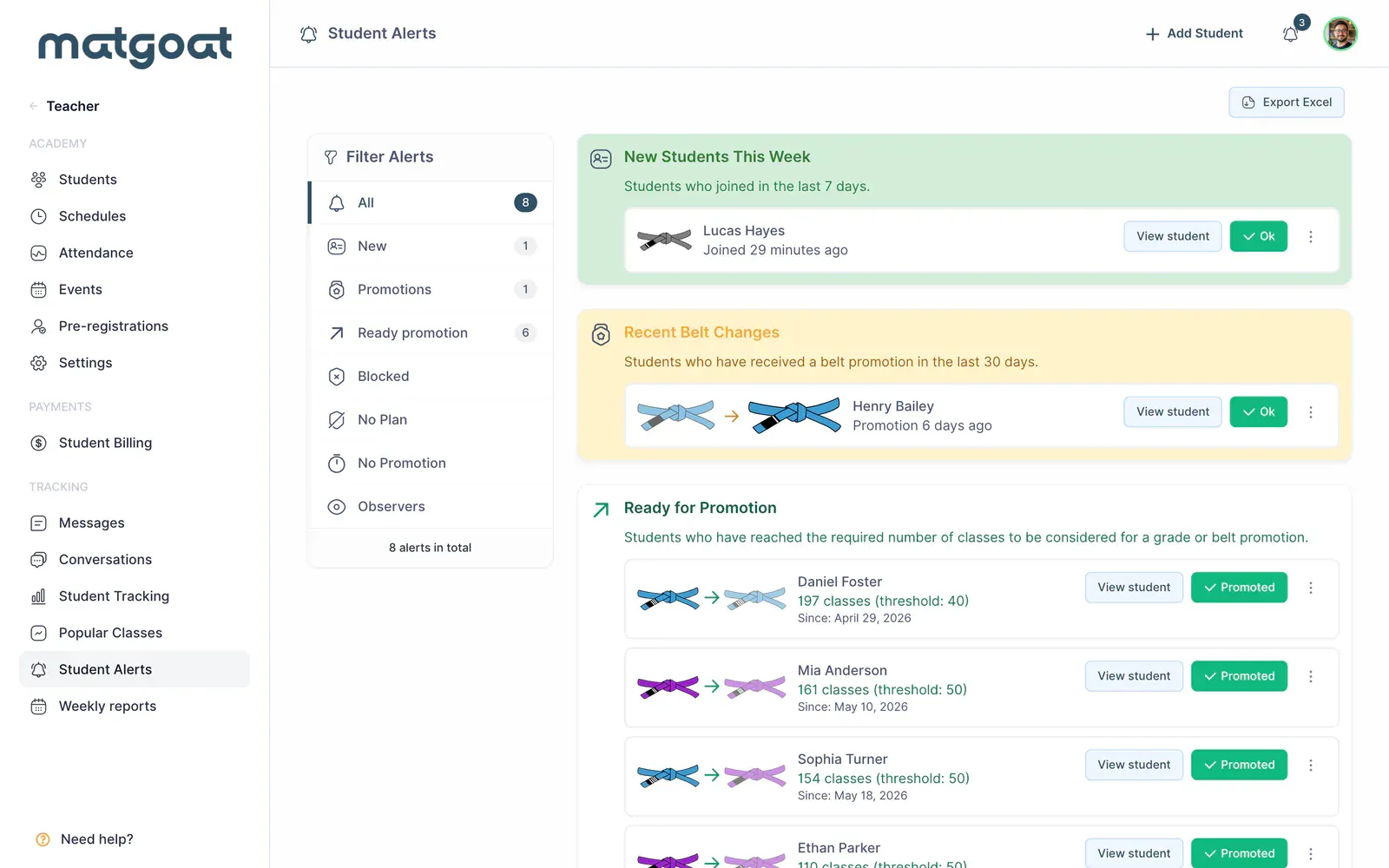
- New students
- Students without a belt change for an extended period
- Students consistently recorded as observers
- Payment issues
- Cancelled subscriptions followed by attendance
- Recent belt changes
- Students ready for a promotion review
- Attempts blocked by plan limits
- Registration attempts without an active plan
An empty category does not necessarily mean the feature is disabled. Some depend on academy age, promotion settings or Stripe data. A recently created academy does not produce the same long-term belt-stagnation findings as one with several years of history.
Check the source before acting
Open the person’s profile and inspect the relevant attendance, plan or belt history. An attempt to book without a plan does not itself prove a debt. A promotion alert identifies someone worth reviewing rather than awarding a grade automatically or replacing an instructor’s assessment.
For observer alerts, inspect the sessions and recorded participation type. If an entry is wrong, correct the original class. Hiding the alert does not change attendance or repair an incorrect plan assignment, and the original issue can remain relevant elsewhere.
Snooze or hide an alert
Each alert’s menu can hide it for one week, two weeks, one month or permanently. Choose a period that matches the pending action. A conversation planned for next week needs different handling from a case that has already been fully reviewed.
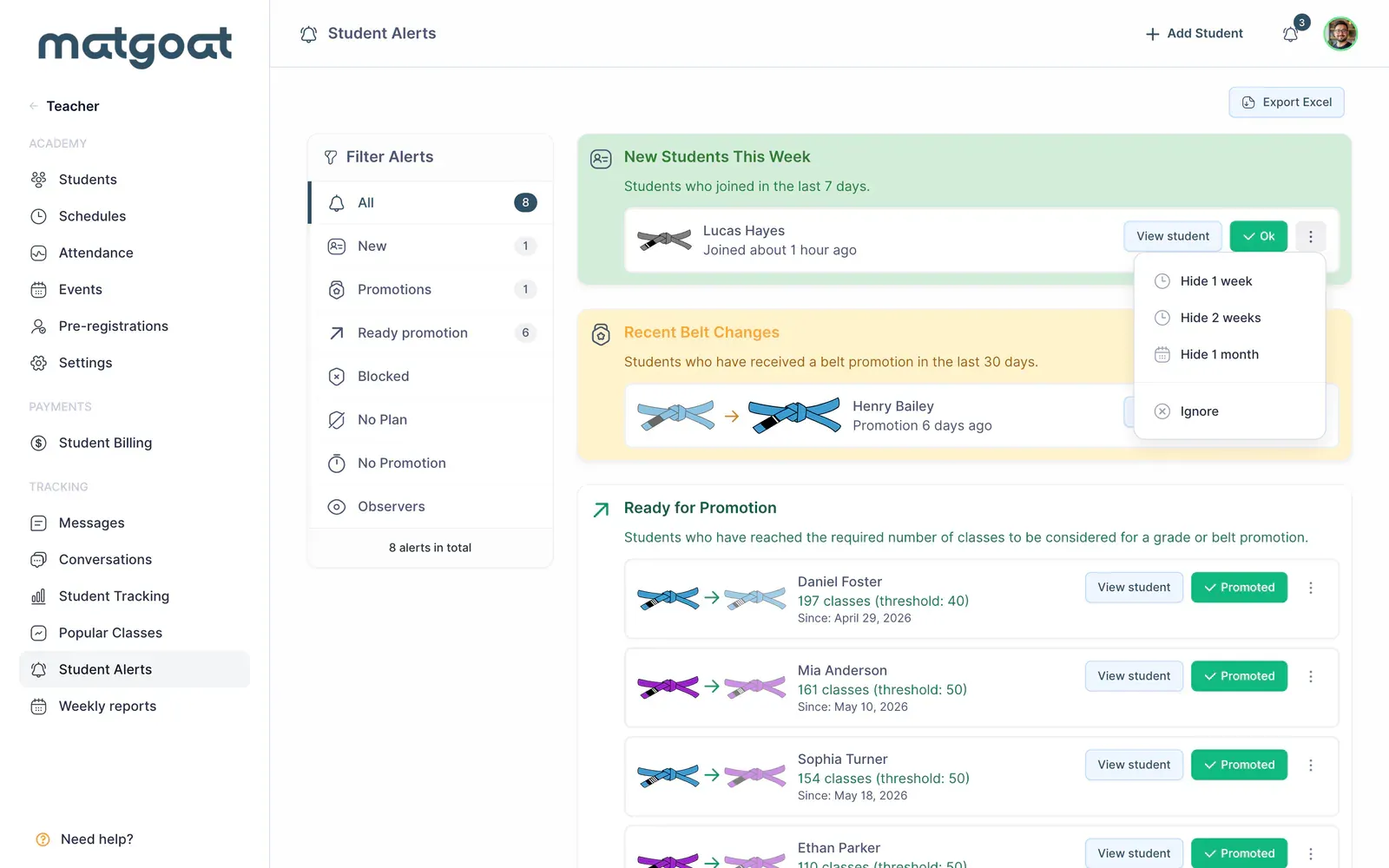
Dismissals belong to the user taking the action. Another teacher may still need to review that student. Hiding an alert is not a substitute for recording a note, resolving a payment or communicating a decision to the rest of the team.
Export and continue follow-up
Use this page’s export when you need to review alerts outside MatGoat. Check the selected type and the resulting file before sharing it. Its contents reflect the current alert query, not a complete historical record of every academy issue.
To organize conversations about changes in activity, open Student Tracking. For alerts related to bookings and coverage, review plan enforcement and resolve the underlying record first.
Frequently asked questions
Does hiding an alert resolve the issue for the whole academy?
No. Hiding it affects the user who performs the action and does not change the student's attendance, plan or belt. Review and correct the source record when appropriate.
Related articles
Still have questions?
Write to us and a real person will answer, in your language.