
Sell day passes and one-time courses
A day pass provides access on the selected date in the academy's time zone. It ends when that calendar day ends; it does not necessarily represent just one class. A one-time plan sells a
Where: Day passes
Updated on
Open in MatGoatChoose a day or a period
A day pass provides access on the selected date in the academy’s time zone. It ends when that calendar day ends; it does not necessarily represent just one class. A one-time plan sells a course or access period without recurring renewal, using the duration configured in its form.
Open Student Billing > Plans. The day-pass section contains both settings and recorded visits. Before offering a pass, decide whether it needs to cover one visit date or several days: the product you choose determines when access ends.
Enable day passes
An administrator can enable availability and set the price. Check the academy’s currency before saving. The configured price provides a reference for reception entries and online purchases; review the actual amount displayed for each transaction rather than assuming every entry uses the same amount.
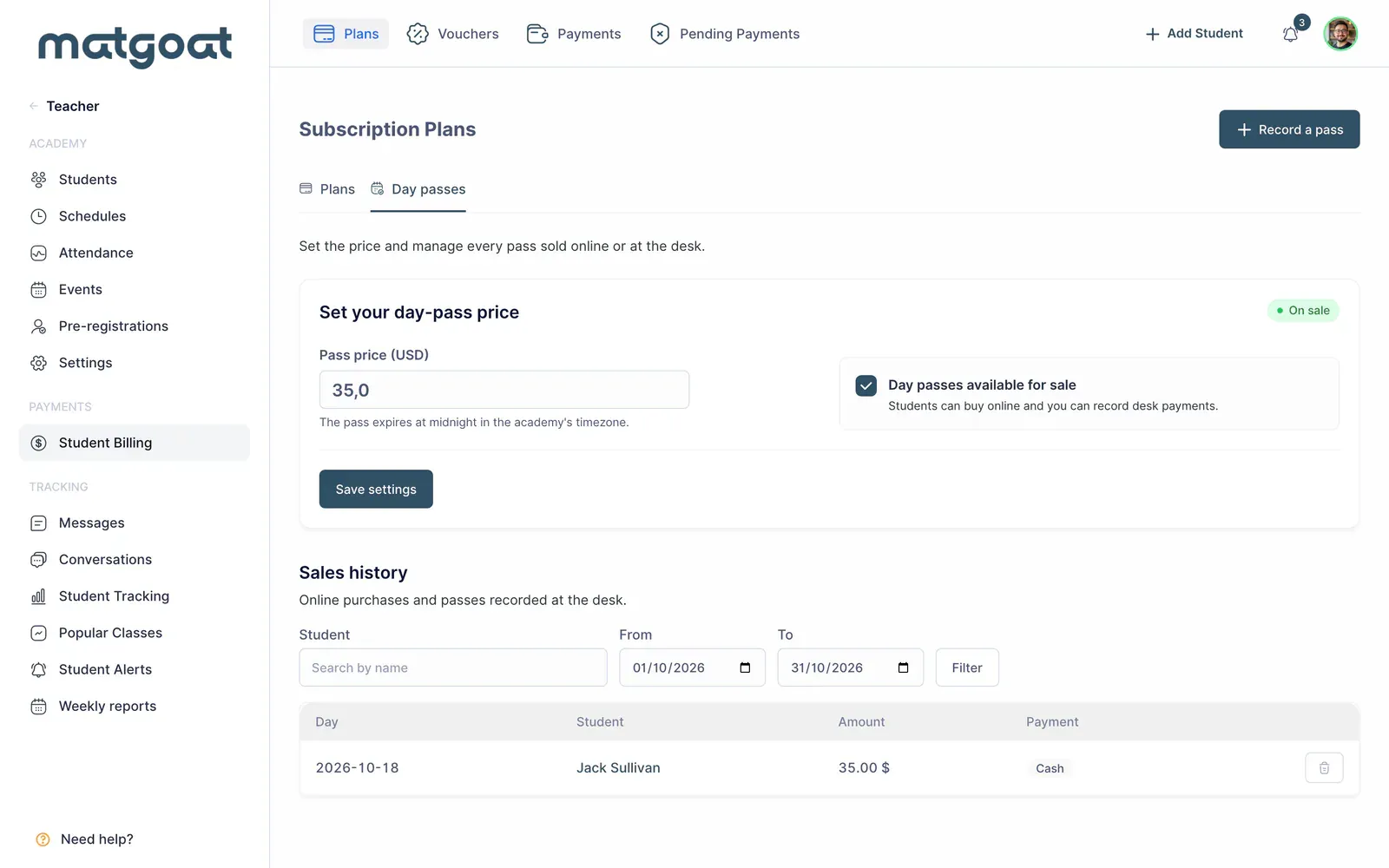
Teachers need permission to register payments to work with this page. If a teacher can access other tools but cannot open day passes, an administrator should review their permissions. Changing the product settings remains an administrator action.
Record a reception visit
- Open the form for recording a pass
- Find an existing student or choose the option for someone visiting for the first time
- Check the name and email before creating a new student record
- Choose the training date, amount actually received and payment method
- Save and locate the visit in the history
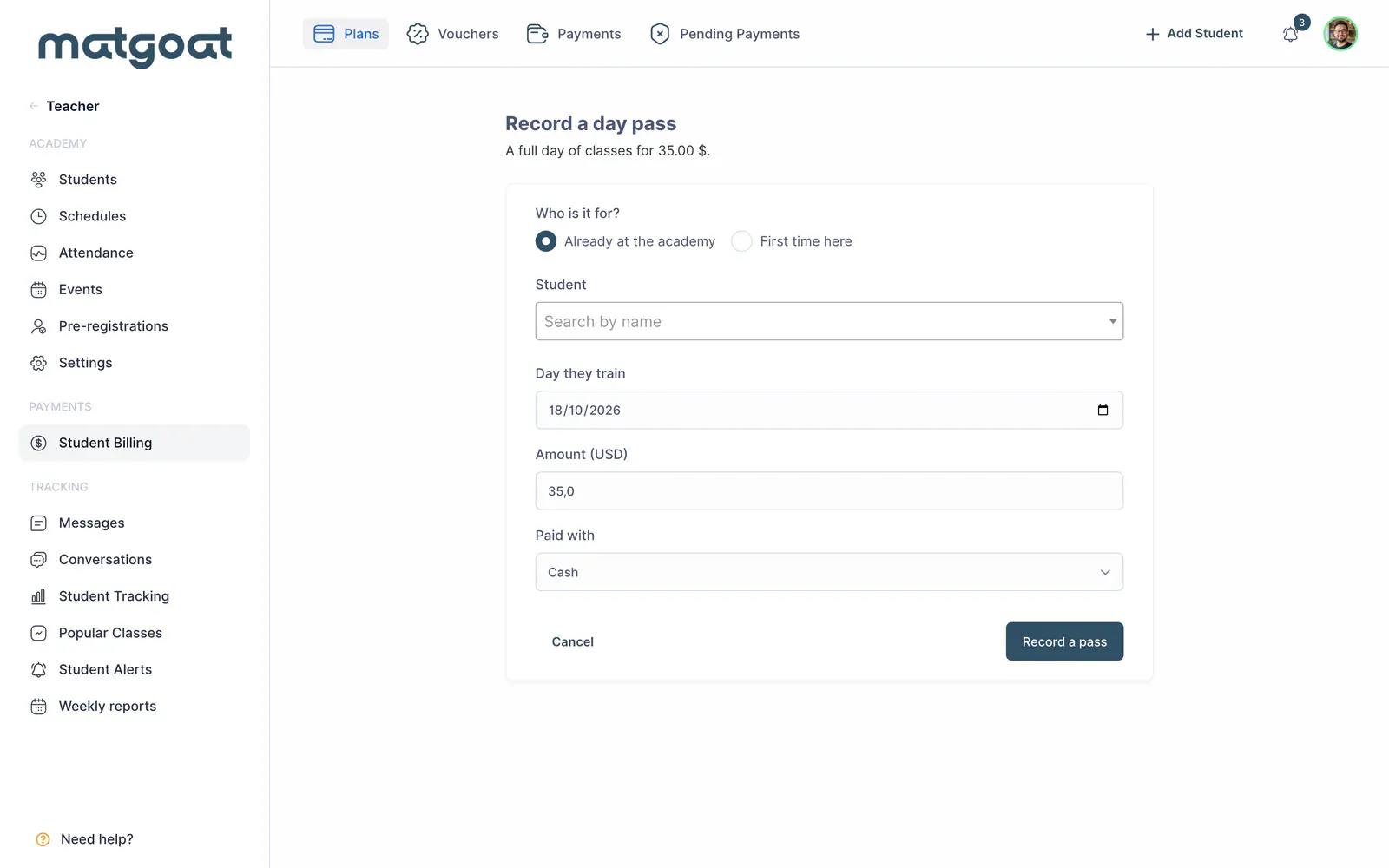
The first-visit option can create a student. Search first if the person has trained at the academy before, even if you do not recognise them as a regular member. The pass date must match the day they will train, rather than simply the day on which you enter the record.
Use the search and date filters to review previous visits. Deleting a recorded pass also removes its associated access. Do not treat that action as a refund of an online charge: review the Stripe transaction separately when money needs to be returned.
Create a one-time course
From the plans page, select New One-time Payment. Set the name, description, price and duration offered in the form. Also review the class limits and content access that the purchase should include.
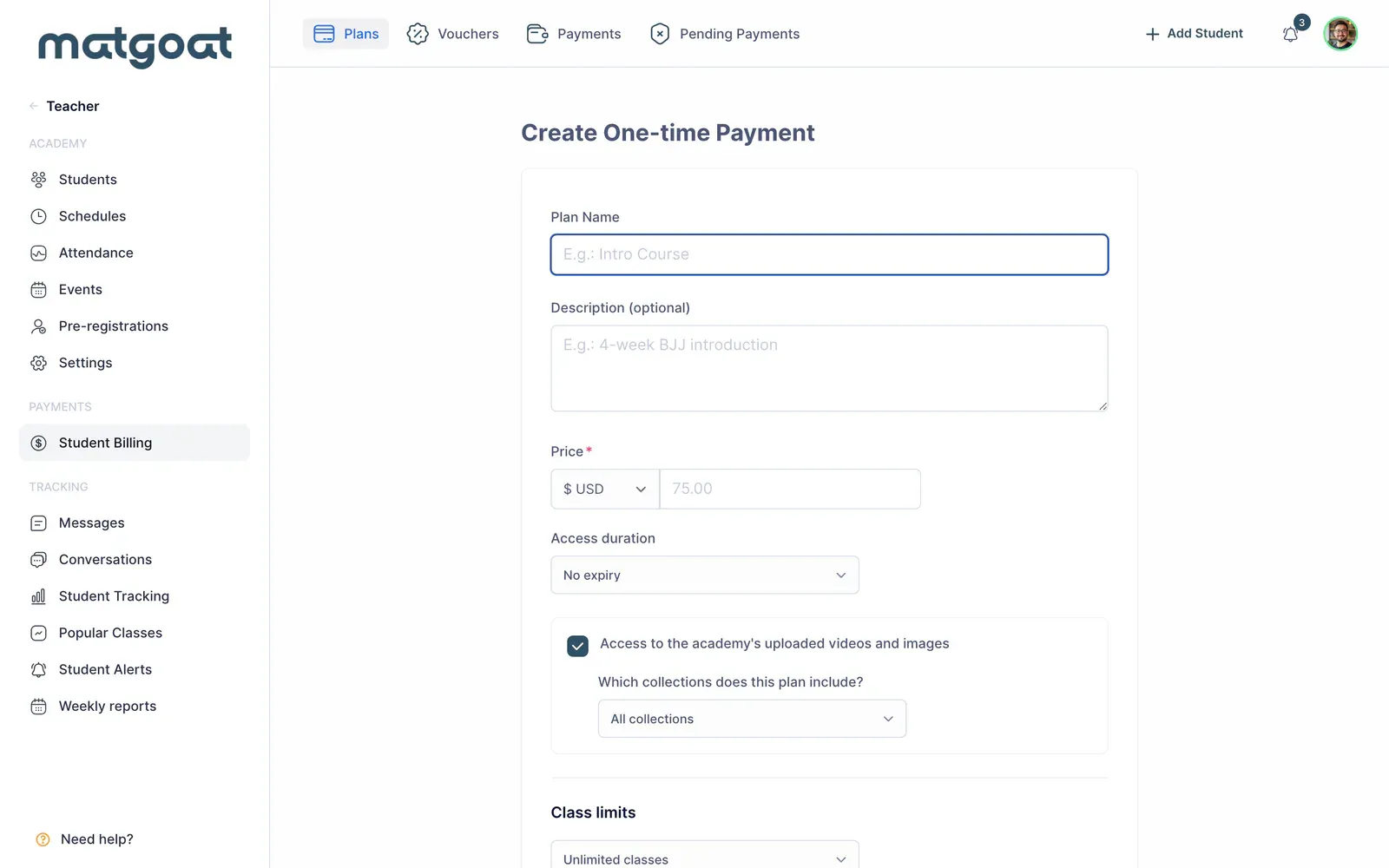
These plans are paid online through Stripe and require an active account. The student purchases a specific product; the purchase does not create monthly renewal. Explain the access duration consistently in the name, description and conditions you share with students.
For regular recurring fees, use How to create a subscription plan. To sell a number of classes that can be used on different dates, continue with Create class vouchers and approve requests.
Related articles
Still have questions?
Write to us and a real person will answer, in your language.