
Create class vouchers and approve requests
Open Student Billing > Vouchers. A voucher type defines the product's conditions; an assigned voucher is one student's actual balance. Creating a type does not automatically give anyone
Where: Class Vouchers
Updated on
Open in MatGoatCreate the product you will sell
Open Student Billing > Vouchers. A voucher type defines the product’s conditions; an assigned voucher is one student’s actual balance. Creating a type does not automatically give anyone classes or record a sale.
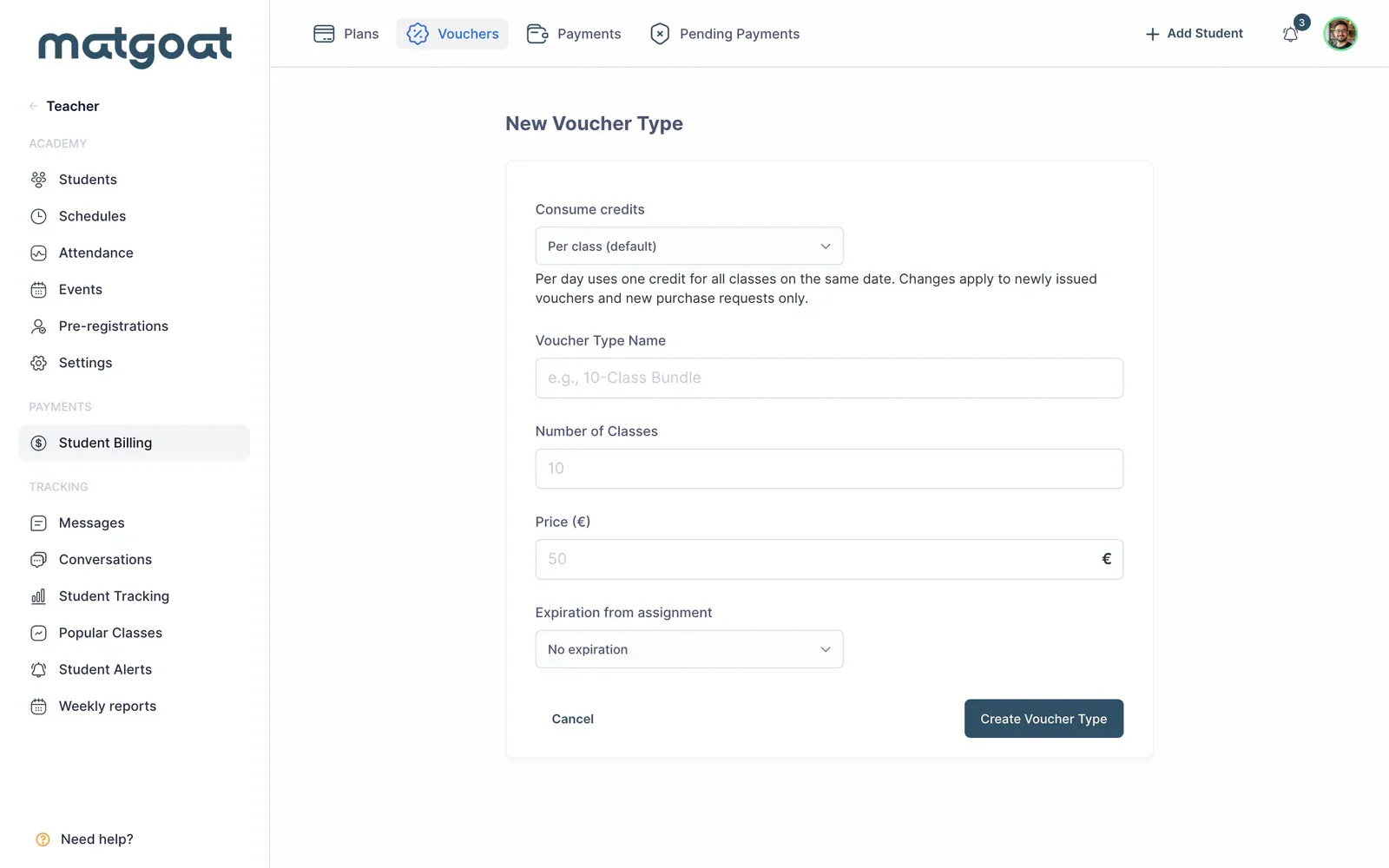
In the type settings, review the name, price, number of uses, expiry and purchase options. Decide whether to deduct classes or days. With a day-based voucher, several classes on the same date can share one use; with a class-based voucher, consumption follows each attendance that should be deducted.
Assign a voucher to a student
- Open the new-voucher form from the list
- Find the student and select an active voucher type
- Check the expiry date and payment method
- Confirm the assignment and open the voucher details
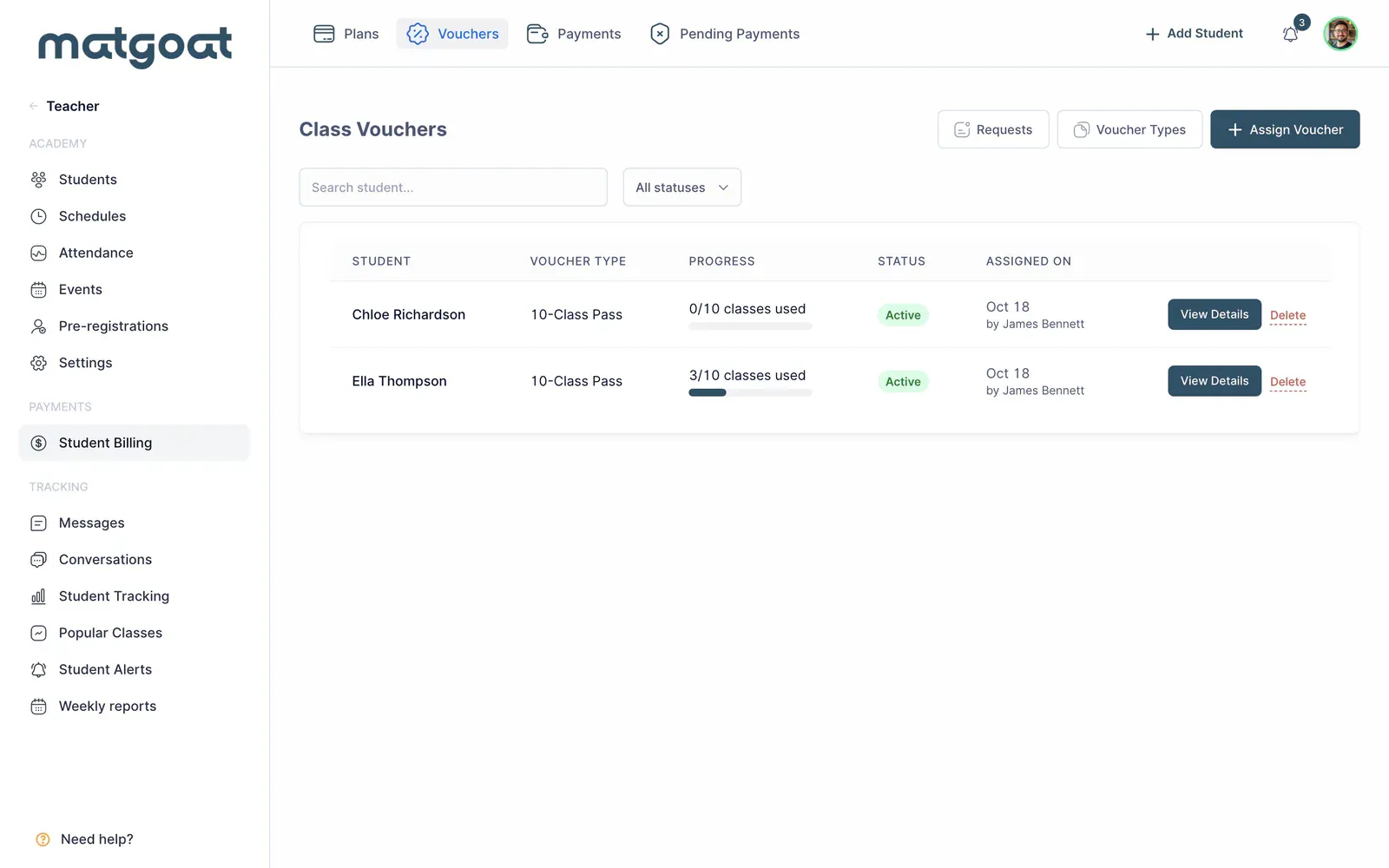
Assignment records the associated payment. Enter the method actually used and avoid adding another receipt afterwards for the same sale. Check the student who benefits from the voucher, particularly when a parent or representative supplies the payment.
A student can have one active voucher. If they already have one, check its status and remaining uses before attempting another assignment. An incorrect expiry date can prevent use of credits that still appear available; checking the balance and checking validity are separate steps.
Review and correct consumption
The voucher detail displays total, used and remaining credits on its punch card. The history helps you connect each deduction with its date and, where applicable, with attendance at a class.
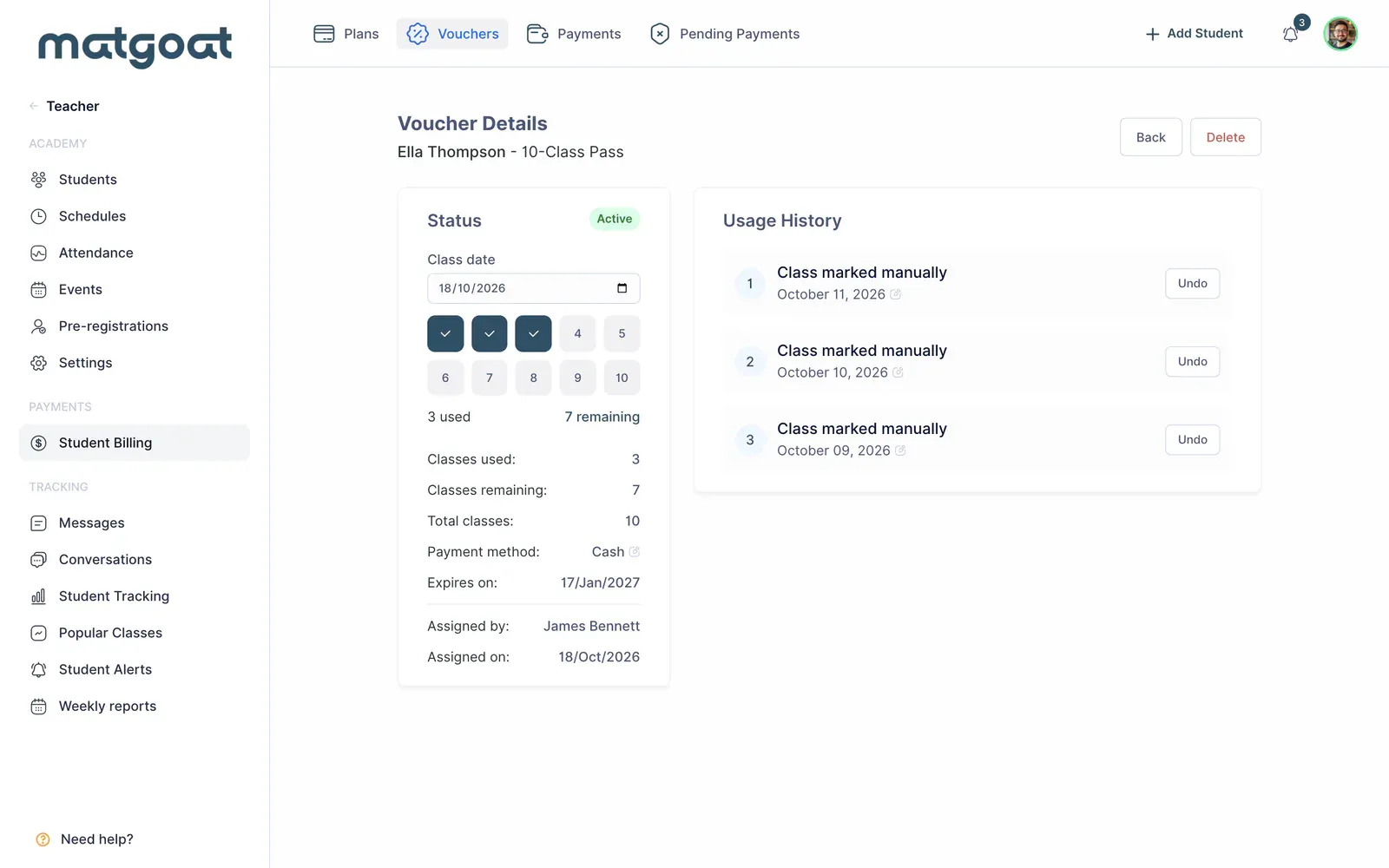
Automatic consumption happens with confirmed attendance. A reservation awaiting check-in should not be treated as a completed class. To record a use that does not come from attendance, choose the manual action and enter the correct date.
When correcting an error, identify its source first. Manual uses have their own edit or undo controls; attendance is corrected in the class record. Do not add compensating uses without checking the history, because you could change the balance twice for the same mistake.
Review requests and online purchases
The requests section lets you review which student has requested a voucher and approve or reject the request. Before approval, check the product, beneficiary and payment route. A request alone is neither an active voucher nor confirmation that payment was received.
Stripe purchases require an active academy account and follow the payment flow offered for that product. Once fulfillment completes, return to the voucher details to confirm the balance and expiry. If payment is still pending, review the request before creating an additional manual assignment.
For a visit on a specific calendar date, see Sell day passes and one-time courses. Choose a voucher when you want to manage a balance of classes or training days that the student can consume over time.
Related articles
Still have questions?
Write to us and a real person will answer, in your language.