
Choose a plan and pay your membership online
Choose a plan for yourself or a child, review the first charge, and use the payment methods and discounts available at your academy.
Where: Subscription Management
Updated on
Open in MatGoatFrom Payments, you can review your plan and the options your academy offers. Prices, included activities and payment methods depend on the academy. Before starting, check the academy and the person the plan will cover.
Select who the plan covers
If you manage family members, use Plans and payments for when displayed. The beneficiary is the person who will train; the payer may be a parent or another authorized representative.
If the child is missing, ask the academy to review their connection to you. Do not select your own name for a payment that should cover your child.
Compare the options
Select Choose a plan if you have no plan, or Change plan to see alternatives. Review:
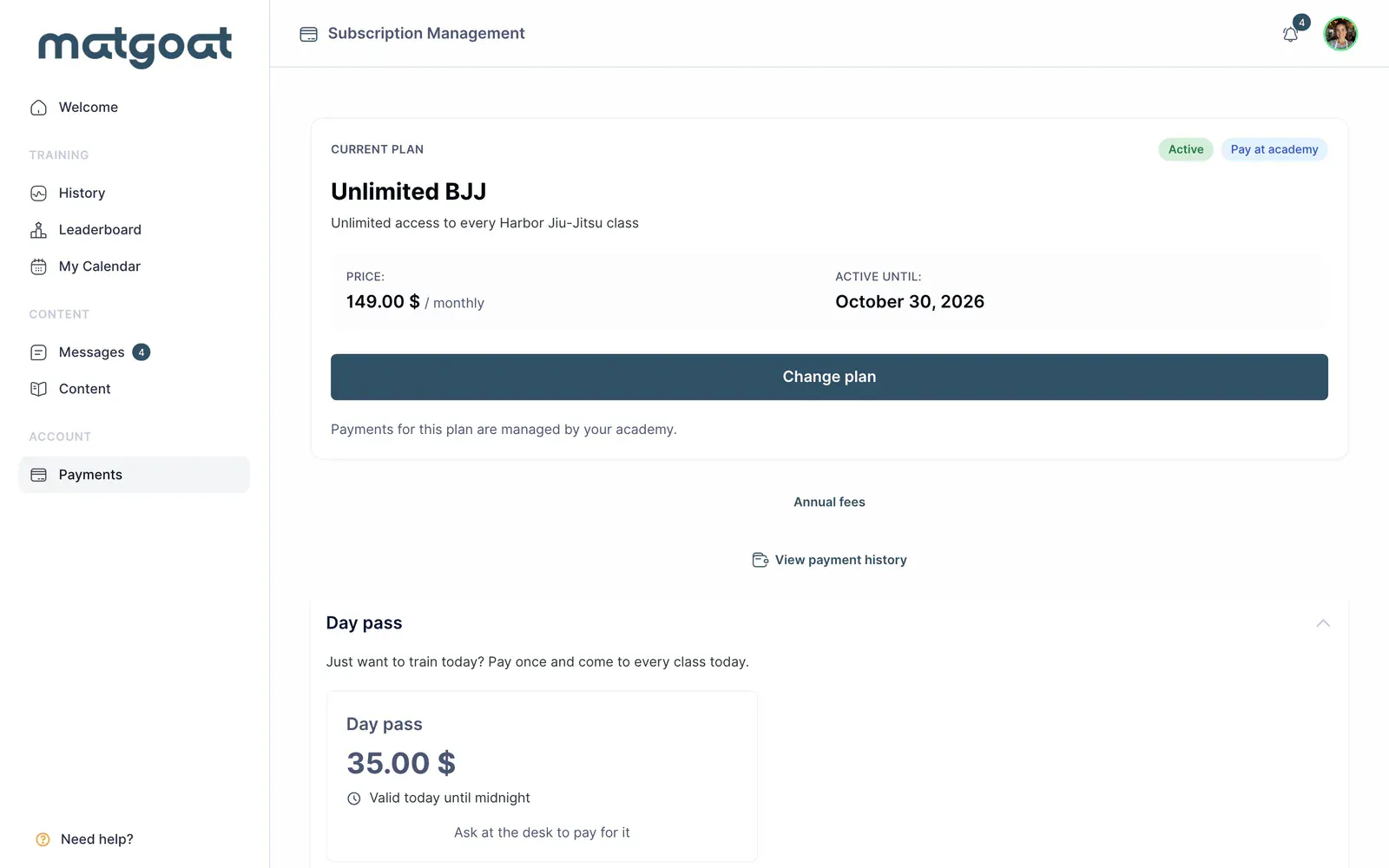
- Price and billing frequency
- Class or day limits and included activities
- Content access and plan duration, where specified
- Enrollment fees, trials and family conditions, where offered
Hidden plans and the Gift plan cannot be freely selected from this screen. If the academy has offered a special arrangement that is missing, contact staff.
An in-academy payment plan is collected through the procedure you agree with the academy. Selecting it does not equal paying by card or confirm that you have handed over the money.
Review the first charge
Before confirming, check the summary: the first amount can depend on your start date, proration, a free trial or a period already paid at reception. If asked whether you have trained for more than a month, answer according to your circumstances; this determines the applicable enrollment fee.
When the form says it will only save your card and charge nothing today, review the first charge date. Saving a card does not replace checking the period you already have covered.
Pay and check the result
Follow the method offered by the form. Online payment may offer a card or SEPA direct debit according to the available setup. A direct debit may remain processing before confirmation; do not repeat the payment because bank confirmation takes time.
If you have a code and I have a discount code appears, use that option and check that the discount is applied before paying. Different purchase types do not necessarily accept the same codes.
Afterwards, return to the payments page and check the plan, beneficiary and status. If it remains pending or the amount differs, contact the academy before attempting another purchase.
Related articles
Still have questions?
Write to us and a real person will answer, in your language.