
Events with registration, capacity, public links and payment
Set up event registration and capacity, share a public link, and review paid tickets, cancellations and refunds.
Where: Calendar Events
Updated on
Open in MatGoatAn event can collect registrations from academy members and, if enabled, external guests. Configure these options when creating or editing the event through Teacher > Events.
Enable registration
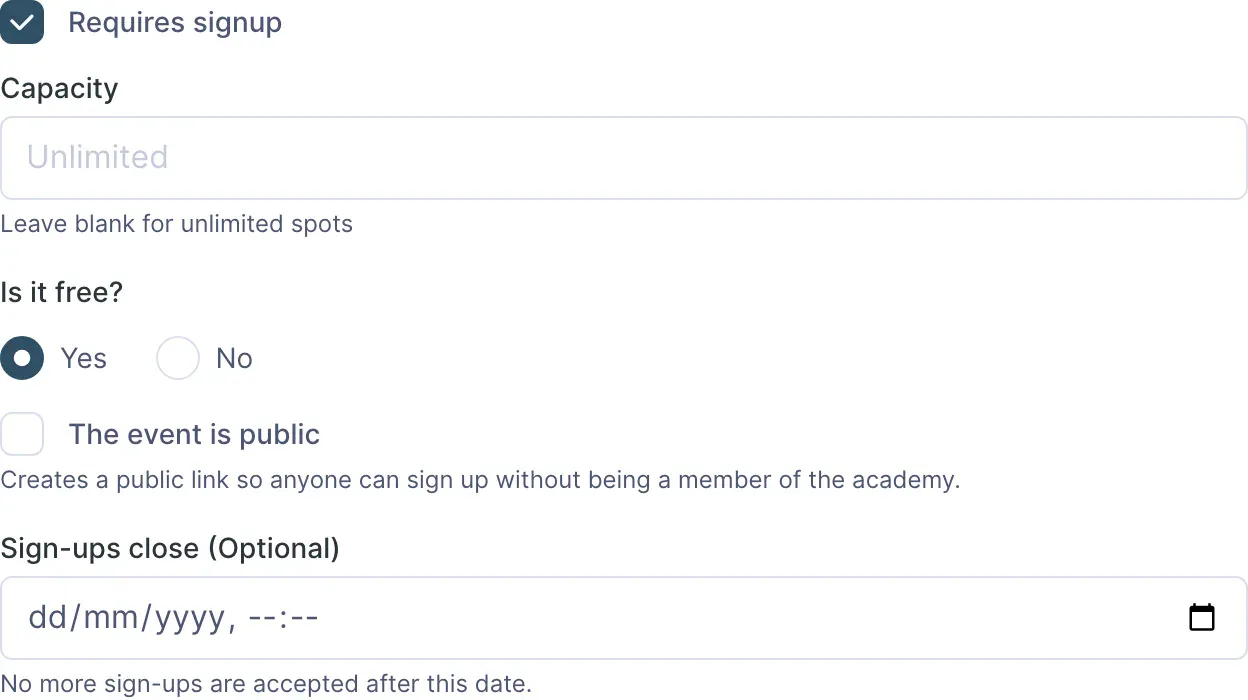
- Select Requires signup
- Enter Capacity to limit places; leave it blank if you do not need a limit
- Set Sign-ups close (Optional) if registration should end at a specific date and time
- Save and review the registration summary on the event page
Capacity counts confirmed registrations and places held temporarily during payment. A started purchase may occupy a place while it is completed; a pending payment is not a paid ticket.
Share the public link
Select The event is public to admit guests without a MatGoat account. After saving, the event page displays Public sign-up link for sharing.
Guests enter their details through that link and follow the event registration process. Registering this way does not make them academy students. To enrol someone as a student, share the academy’s registration link separately.
Check that registration is still open before sharing the link. The public form stops accepting registrations when the event ends, even without an earlier registration deadline.
Configure a paid ticket
The form lets you choose whether the event is free or paid. Setting the price requires permission to register payments, and the academy needs an active Stripe connection to collect ticket payments online.
Enter the price in the currency shown and check the amount before saving. Buyers complete payment through Stripe. Check the final registration status on the event page; opening the payment form does not prove that a charge completed.
Plan discount codes are not an available field in this event checkout process.
Review participants and cancellations
The event table distinguishes members and guests, shows status and amount, and lets staff cancel registrations holding a place. Contact details appear only to staff with permission to view sensitive information.
A free registration is deleted when cancelled. An event with recorded payments cannot be deleted, even if those registrations have been cancelled, because the record of money collected must remain.
Before the event, review occupied places and resolve pending payments or cancellations with each participant.
Related articles
Still have questions?
Write to us and a real person will answer, in your language.