
Create the weekly schedule and one-off classes
Build the Schedules board, create a class on several weekdays at once, add one-off classes, and edit or archive a schedule without losing past attendance.
Where: Class Schedules
Updated on
Open in MatGoatSchedules define classes that repeat every week. A one-off class occupies a specific date, such as an extra training session. Create both through Teacher > Schedules.
Check permissions and class types
All teachers can view the schedules page. Creating or editing schedules requires schedule-management permission; editing an existing one also requires access through its assignment or permission to manage all schedules.
Before creating a class, prepare its type through Manage Class Types. If an activity is missing from the form, check the available types and the teacher’s permissions.
Create a weekly schedule
- Select New class
- Choose the class type and, where appropriate, the teacher
- Select the weekdays on which it runs
- Enter the start and end times
- Review groups and capacity if those fields appear, then save
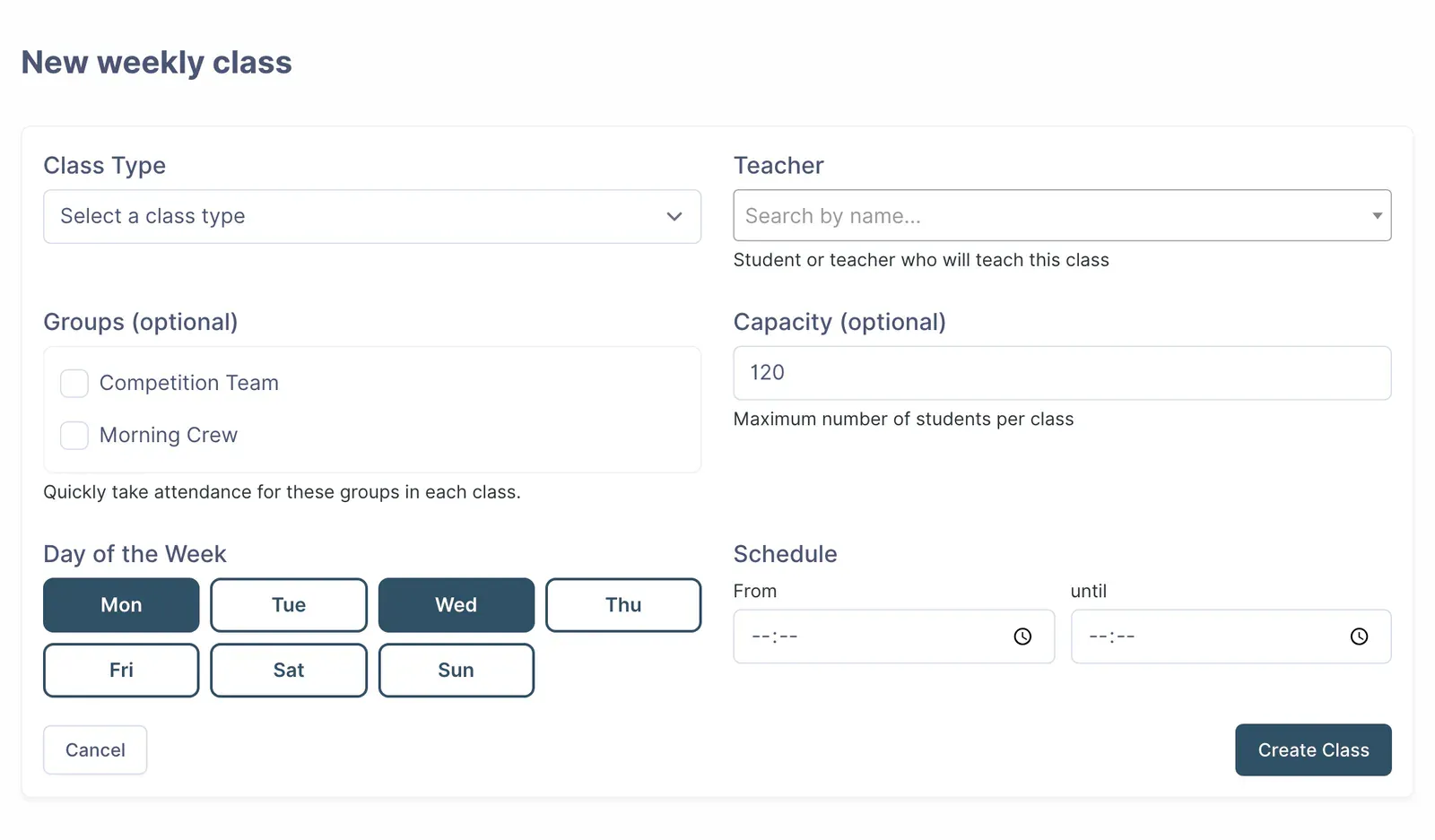
Selecting several days creates a separate schedule for each day with the same details. You can edit each one independently afterwards. The named teacher identifies who teaches the class but does not itself grant management permissions.
Capacity appears only when enabled for your academy. Ask support if you need it and cannot see the field. Linked groups make group attendance easier; they do not automatically add their members to every class.
Create a one-off class
Select New one-off class and choose a date instead of recurring weekdays. Complete the type, teacher and times, then save. The class appears under upcoming one-off classes and in the relevant calendar.
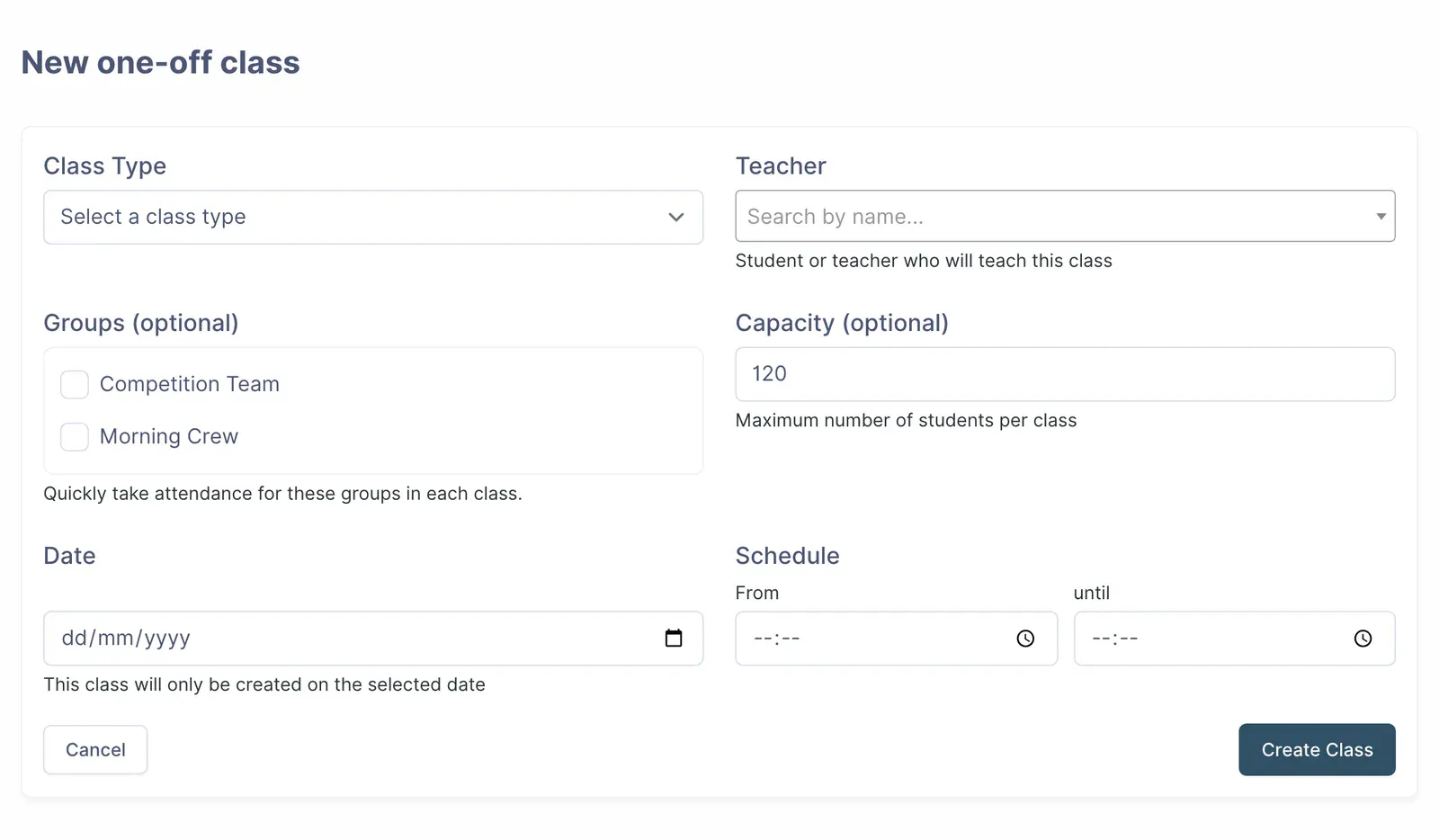
Use this option for an additional session that should not repeat the following week. To replace a cancelled class, create a new one on the chosen date and tell students who need to book it.
Edit or archive a schedule
Open Edit on the schedule you want to change. Changing a weekly schedule affects its future classes; changes explicitly made to an individual session are preserved.
To change only one date, open that class from attendance and edit its time or type there. Cancelling a one-off class from its form removes that class and notifies registered participants.
Check the calendar
Weekly classes are generated ahead within a rolling thirty-day window that extends automatically. A more distant date may therefore be absent even though the weekly schedule is saved.
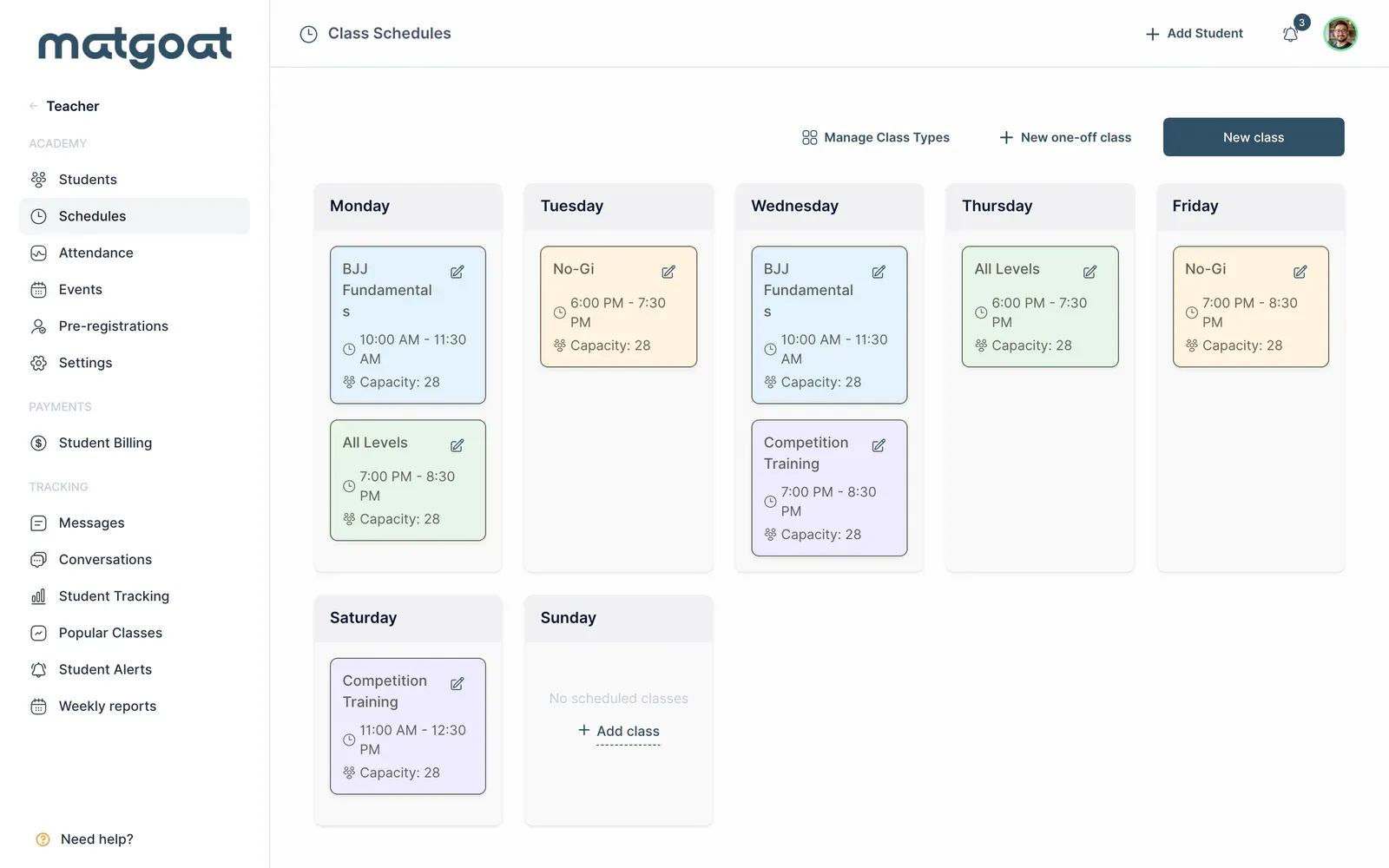
Open the next class and confirm its date, time and activity before sharing the new schedule with students.
Related articles
Still have questions?
Write to us and a real person will answer, in your language.