
Emails and notifications MatGoat sends automatically
MatGoat sends notices when academy activity, a payment issue or an account action triggers them. Each notice has its own recipients and conditions; receiving an email does not mean a
Where: Edit account
Updated on
Open in MatGoatMatGoat sends notices when academy activity, a payment issue or an account action triggers them. Each notice has its own recipients and conditions; receiving an email does not mean a membership payment has been collected.
Messages about your account
A student’s invitation, email confirmation and password reset belong to the sign-in process. Owner registration has a separate verification code and welcome message. These are different from announcements written by your academy.
When adding students, check the option to send invitations and welcome messages before saving. A profile without an email address cannot receive them. For a family, check who has an account with a valid address and who represents the child; do not assume every child receives a separate email.
Security messages respond to actions such as requesting a password reset. If one arrives unexpectedly, review your account before following links or making further requests. Announcement preferences should not be treated as a switch for all account-access emails.
Activity at your academy
Activity notices follow specific actions:
- An announcement is distributed when a teacher sends it, not when its draft is saved
- A conversation notifies the other thread participants when a message is added
- A class cancellation can create an announcement and notify affected students
- An event notifies members when its notification option is used
For conversations and cancellations, MatGoat prioritizes a push notification when a registered device is available and that preference is enabled. Otherwise, it can use email if the user allows it. Do not expect both channels every time or apply this rule to every automated message.
The announcement or conversation remains available in MatGoat even if the phone does not display its notification. To prepare your own message, follow Send a message to all students with announcements.
Payments and reports
Payment emails can report an outstanding fee, a failed attempt, a recovered payment, a plan change or a recorded manual payment. Manual payment confirmations and their PDF receipts depend on the academy’s settings under Payment options.
Manual payment reminders check their eligibility conditions and the recipient’s preferences. Annual fees have separate reminder settings and deliveries. Turning off general notices does not cancel a fee or stop a Stripe subscription.
Weekly reports for academy managers summarize activity; they are neither receipts nor messages sent to every student. If a reminder appears incorrect, compare the payment history and the period covered before recording another payment. See Track pending payments and automatic reminders.
Adjust preferences and check a notice
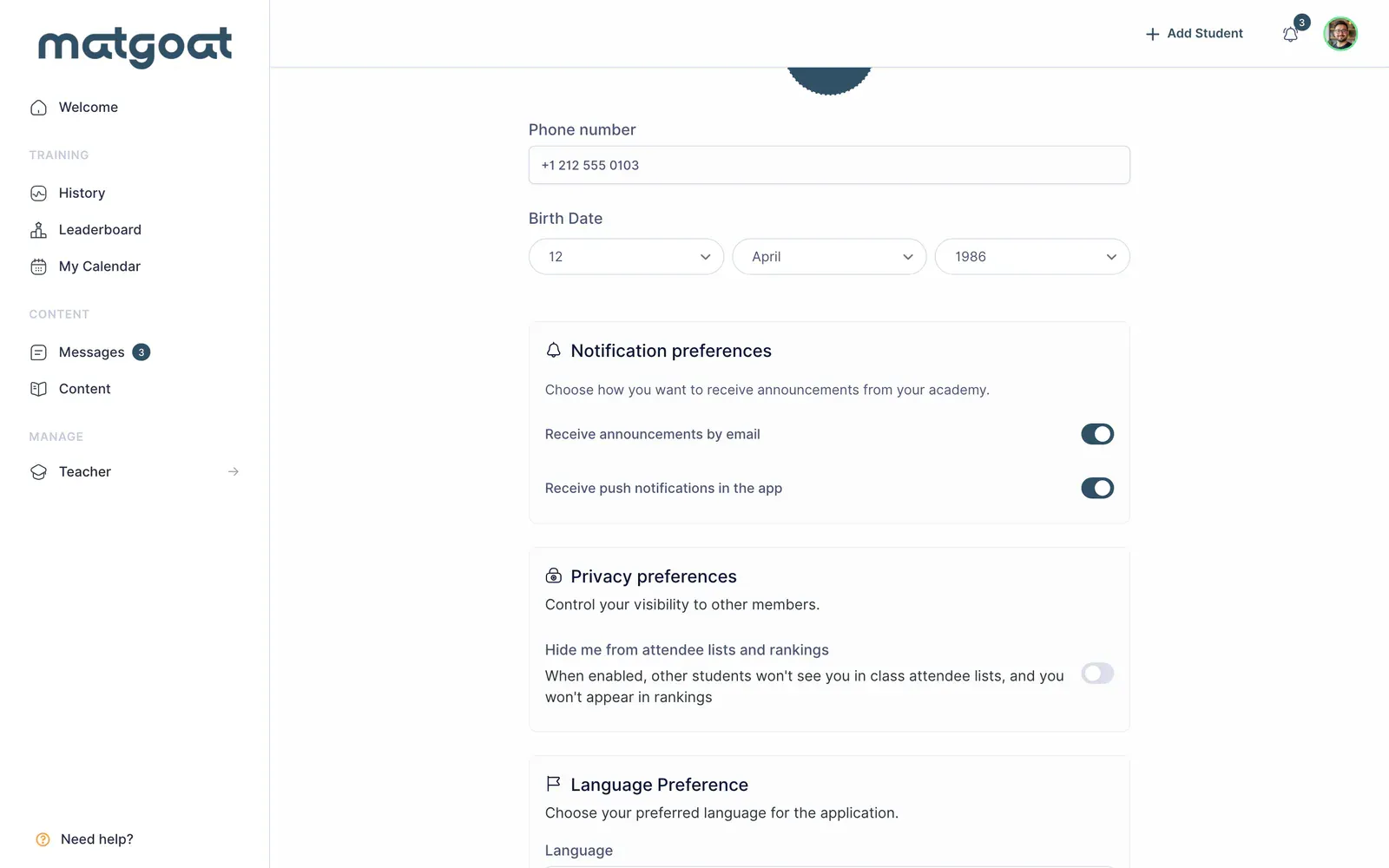
- Open your account editing page
- Find Notification preferences
- Adjust Receive announcements by email and Receive push notifications in the app
- Save your changes and check the phone’s notification permission as well
If an email is missing, check the address, spam folder and the family’s actual recipient. The automatic email history on a student’s profile helps identify which notice was generated; it does not prove that someone read it. MatGoat does not provide an automatic email template editor. For a specific issue, note the student, date and notice type before contacting support.
Related articles
Still have questions?
Write to us and a real person will answer, in your language.