
Track pending payments and automatic reminders
Open Student Billing > Pending Payments. This page requires permission to register payments and brings together situations needing review: unpaid fees, students without plans, expired plans
Where: Pending Payments
Updated on
Open in MatGoatReview the month’s issues
Open Student Billing > Pending Payments. This page requires permission to register payments and brings together situations needing review: unpaid fees, students without plans, expired plans and, when Stripe is available, payment problems or cancelled subscriptions followed by attendance.
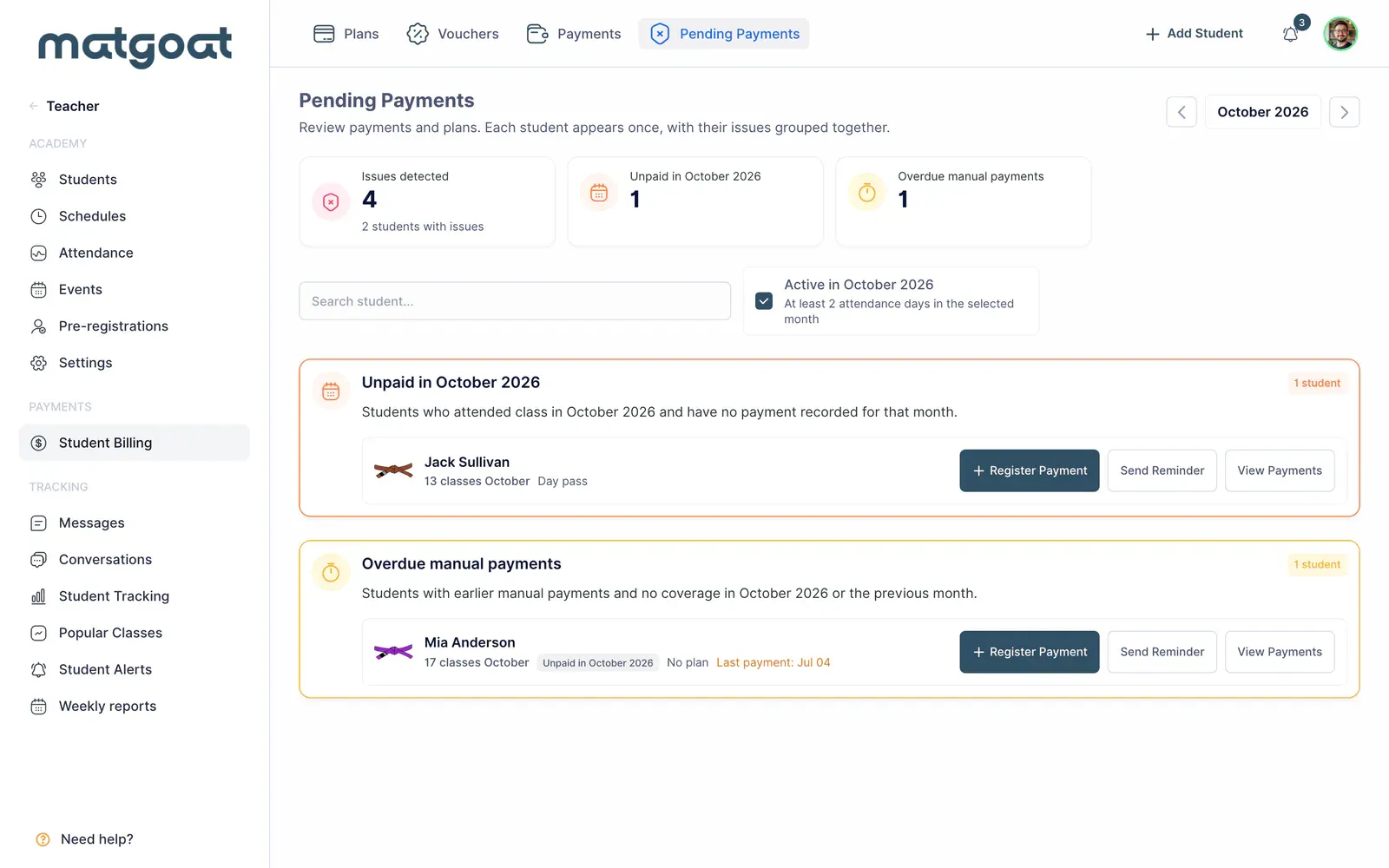
Select the month and check whether the student-activity filter is enabled. Someone can disappear when that filter changes without their payment being resolved. Counts describe the current query, rather than every possible outstanding balance in the academy.
Check the reason before requesting payment
- Find the student and open their payment profile
- Review the issue category and affected period
- Check payments, plan assignment, pauses and possible waivers
- If there is family coverage, identify the account holder who pays
- Decide whether to correct a record, contact the person or inspect Stripe
A student without a plan does not necessarily owe the same fee as someone whose charge failed. Do not record an imaginary payment simply to remove an alert. If money was already received, first locate the receipt and check whether another staff member entered it.
Prepare a personal reminder
The contact action can open a conversation with suggested reminder text. Review the recipient and any amount or period mentioned, then adapt the message before sending. Opening the form does not send the conversation.
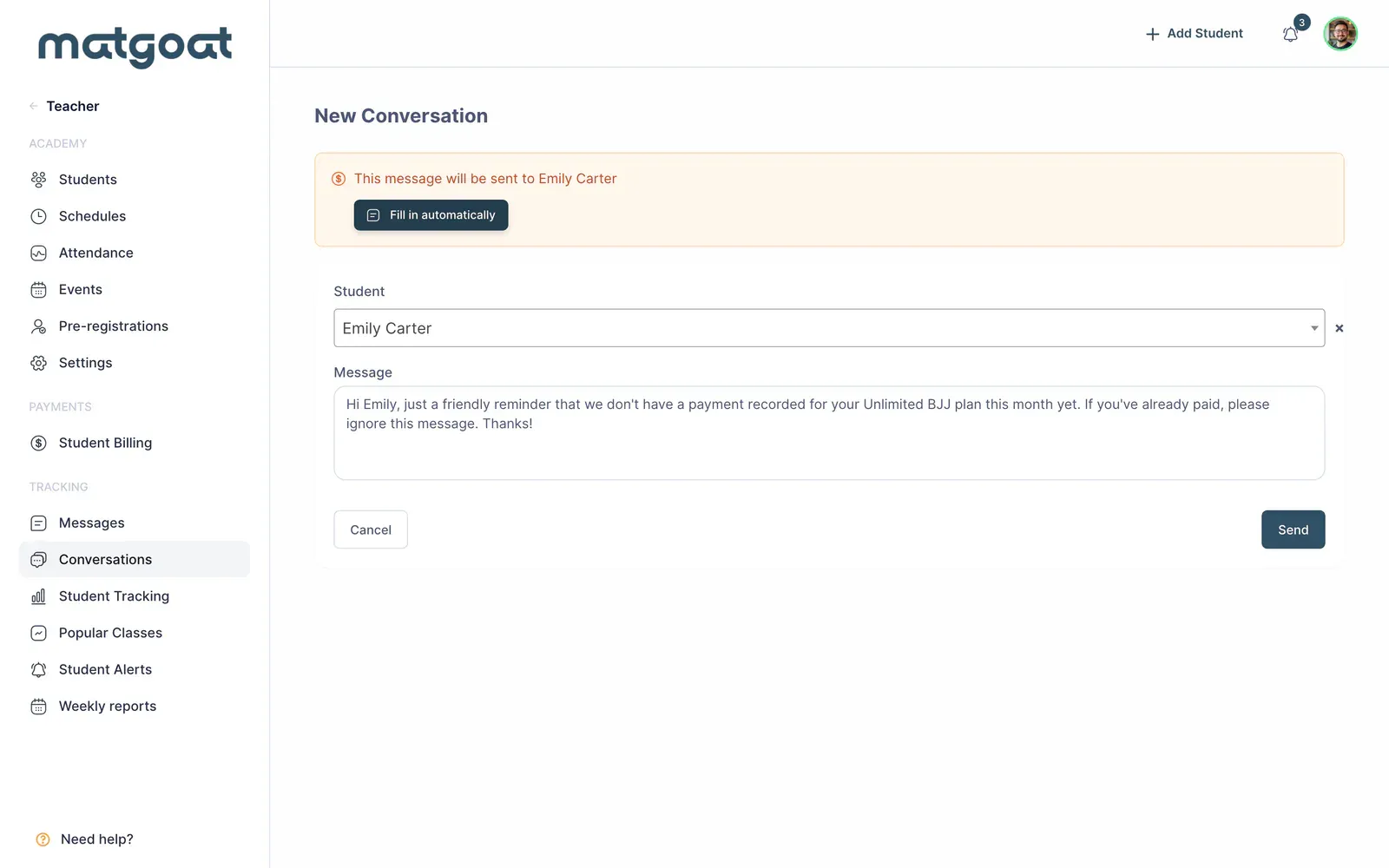
For families, the reminder recipient can be the parent or representative managing payment. Avoid sending conflicting instructions to the student and payer. Clarify any coverage question or special arrangement before requesting another payment.
Understand automatic notices
Manual-fee reminders and notices about failed online collections are separate flows. Delivery depends on the student’s circumstances, notification preferences, contact information and academy configuration.
For manual fees, MatGoat can use a push notification or email according to the available options. Disabling email does not necessarily disable every notification channel. The student profile lets you review automatic email history when a delivery has been recorded.
A reminder does not guarantee that the student read it, and it does not automatically cancel a subscription. If Stripe shows a payment still processing, check that status before requesting another transaction for the same fee.
Complete the review
After recording an actual collection, correcting the plan or resolving the online charge, return to the same month and filters. Check that the issue reflects the new situation. Sending a message does not itself settle a debt.
Follow Record a cash, bank transfer or Bizum payment to correct an in-person collection, or use Assign, change or remove a student’s plan to review access and assignments.
Related articles
Still have questions?
Write to us and a real person will answer, in your language.