
Close your academy or delete your MatGoat account
Distinguish academy closure, leaving as a student and deleting your personal account, and review the effects on access, payments and history.
Where: Academy details
Updated on
Open in MatGoatMatGoat provides different actions for closing an academy, leaving its membership and deleting your personal account. Choose the one that matches your intention and review its consequences before confirming.
Prepare to close an academy
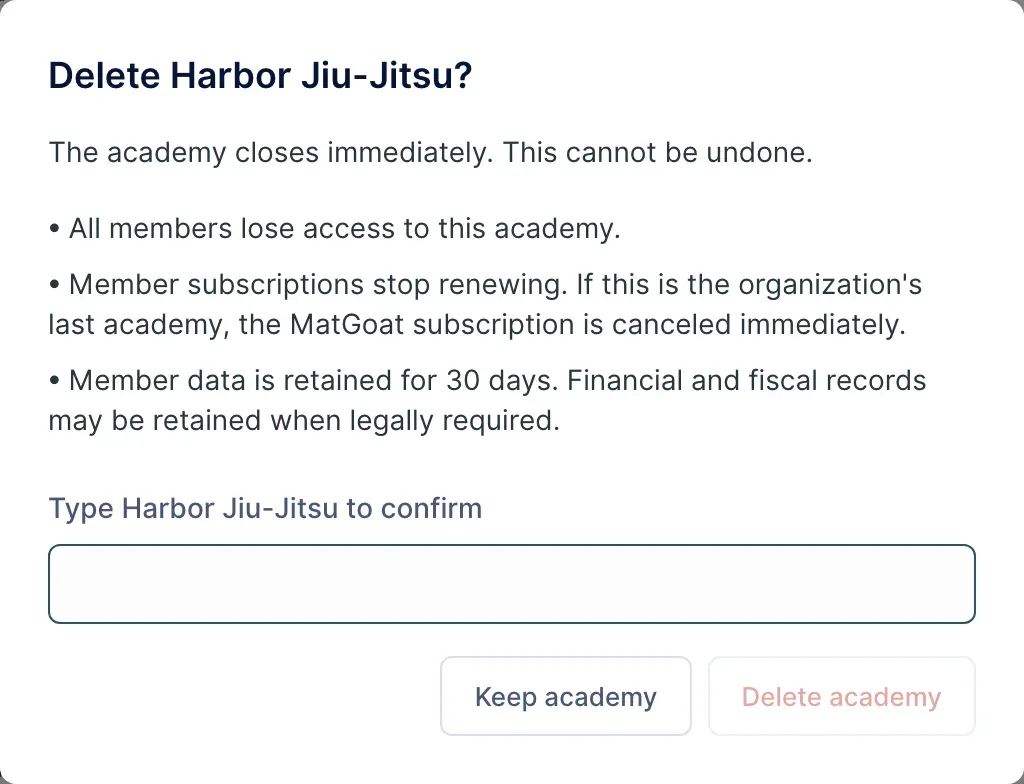
As an administrator, open the academy details and scroll to the danger zone. Delete academy opens an explanation of the effects; opening it does not yet confirm closure.
Before continuing, check:
- That you have selected the academy you intend to close
- That you have exported the information and documents you need to keep
- That you have reviewed student subscriptions and outstanding charges
- That you have informed the people affected
To confirm, the form requires the academy’s name. Do not use it to pause classes temporarily or change your MatGoat plan.
Understand what closure changes
Closure removes access to that academy and archives memberships that are still active. Applicable online student subscriptions are scheduled to end at the end of their period. If this is the organization’s last open academy, the organization’s MatGoat subscription is cancelled immediately.
Memberships archived by closure have a 30-day retention period before their associated data enters the removal process. Some financial and fiscal records may remain. This period should not be interpreted as an undo option available in the interface.
If MatGoat reports an error cancelling subscriptions, review the outcome with support before repeating closure. Do not assume all effects have completed because you opened the dialog.
Leave an academy as a member
In Edit account, Leave This Academy removes your link to the current academy and its associated history. Relevant online subscriptions are cancelled as part of the process. Your account can remain and retain other academies.
Leaving is different from cancelling a membership payment at the end of the month. If you only want to stop a plan renewing, use its subscription controls or speak to the academy before removing the membership.
Delete your personal account
In the mobile app, open More and the account deletion option. Review the screen and confirm the requested email only if you want to delete the entire account. The process immediately cancels online subscriptions you pay for that are eligible for cancellation, signs you out and schedules account deletion after 30 days.
If you are the last person responsible for open academies, you must first resolve their closure or continuity with another responsible person. Deleting an account is not a shortcut for transferring academy ownership.
For a temporary pause or an ownership change, contact support before choosing a deletion action.
Related articles
Still have questions?
Write to us and a real person will answer, in your language.