
Pause, archive or delete a student
Learn when to pause a student with dates and a reason, when to archive or delete them, what happens to their billing and how to restore them later.
Where: Students
Updated on
Open in MatGoatPausing, archiving and deleting address different situations. A pause has dates; archiving keeps history while removing the student from active membership; deletion removes their data from this academy. Open the correct profile before acting and review plans and bookings that may be affected by the choice.
Schedule a pause
Expand the pause controls on the student’s profile. Set the start and end dates and, optionally, a reason. The end must be later than the start. There is one stored pause per student: saving again replaces its dates, so inspect the existing pause before entering another period.
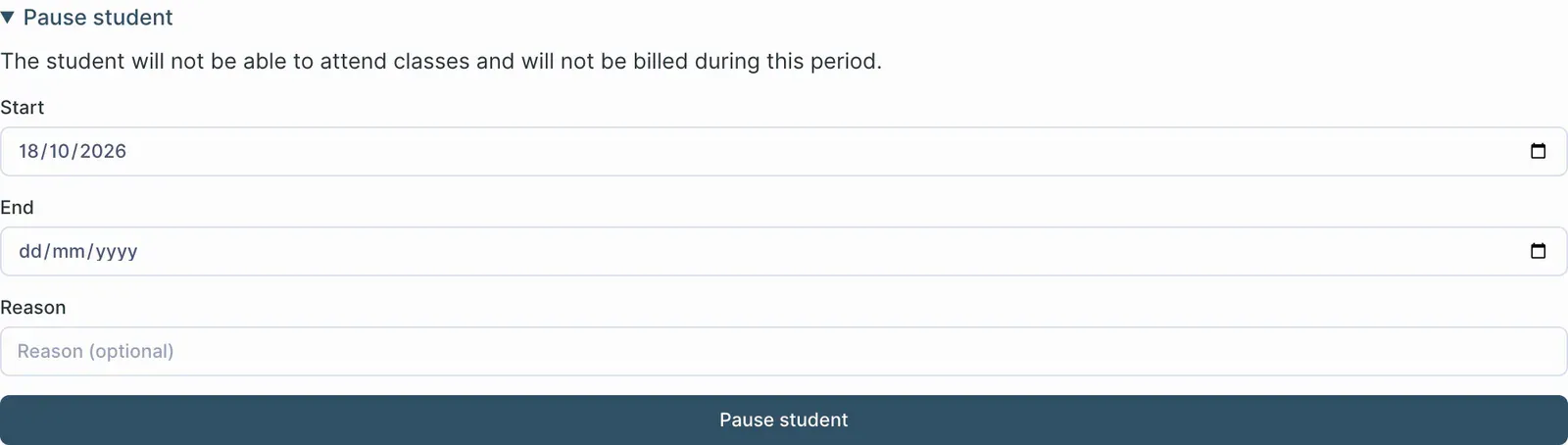
Pausing removes future bookings that fall within the pause interval. Reactivating the student does not recreate them. When the pause starts later, its dates appear on the profile, while the roster’s paused badge refers to a pause already in progress.
Effects on billing depend on the plan and available synchronization. Check the payment state shown for the student; do not interpret every membership pause as a refund or assume that previously collected payments have changed.
Archive a departure while keeping history
- Open the profile and choose the student-removal action
- Read the archive column and its consequences
- Review affected bookings and plans before confirming
- Check the result in the archived-student view
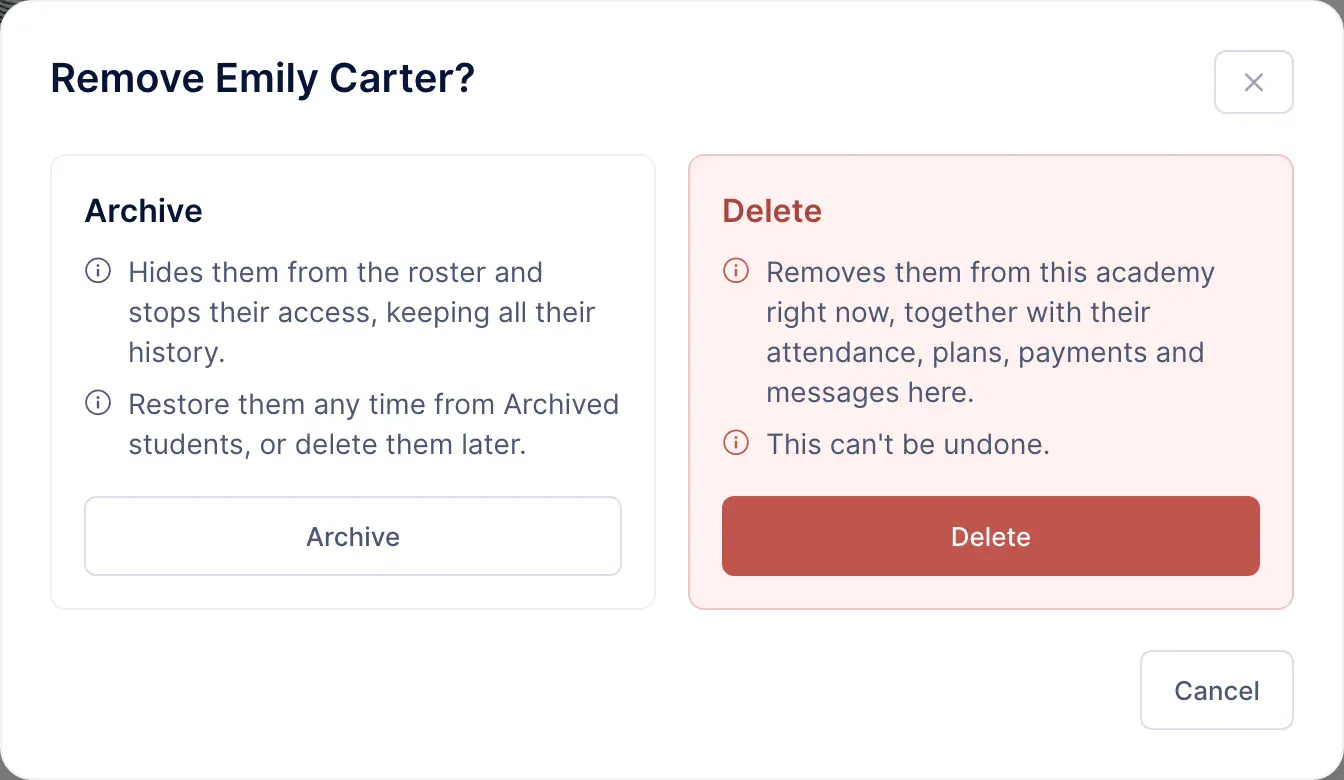
An archive does not automatically expire after 30 days. Attendance, payments, belt history and notes remain. Scheduled-deletion labels on some older records belong to other workflows and do not describe how ordinary archiving works now.
Archiving removes future bookings and cancels manual assignments and family coverage. Where Stripe subscriptions exist, cancellation is scheduled for the relevant period end. Read the dialog for the specific account before confirming rather than relying on another student’s previous result.
Restore and prepare the return
Restoring the student makes their membership active again, but it does not reconstruct everything that existed before. Manual plans, family coverage and annual-fee assignments need review and reassignment where appropriate. Removed bookings do not return automatically either.
Reactivating an online subscription depends on it still being ongoing and its cancellation being linked to the archive. Always check the resulting state on the profile rather than assuming every recurring charge has resumed.
Delete the academy’s student record
Deletion goes further than archiving: it removes data associated with this academy and immediately cancels affected subscriptions. If Stripe refuses cancellation, the process stops without completing deletion. Fiscal invoices remain, and this action does not delete the person’s global MatGoat account.
For a temporary interruption, review the pause option first. To prepare a return, consult plan assignment and the student profile before deciding to delete a record.
Related articles
Still have questions?
Write to us and a real person will answer, in your language.