
Family Billing for Martial Arts Schools: Parents and Siblings
Organize parent accounts, sibling pricing and family payments while keeping each child's attendance and progress separate. Includes an example and checklist.
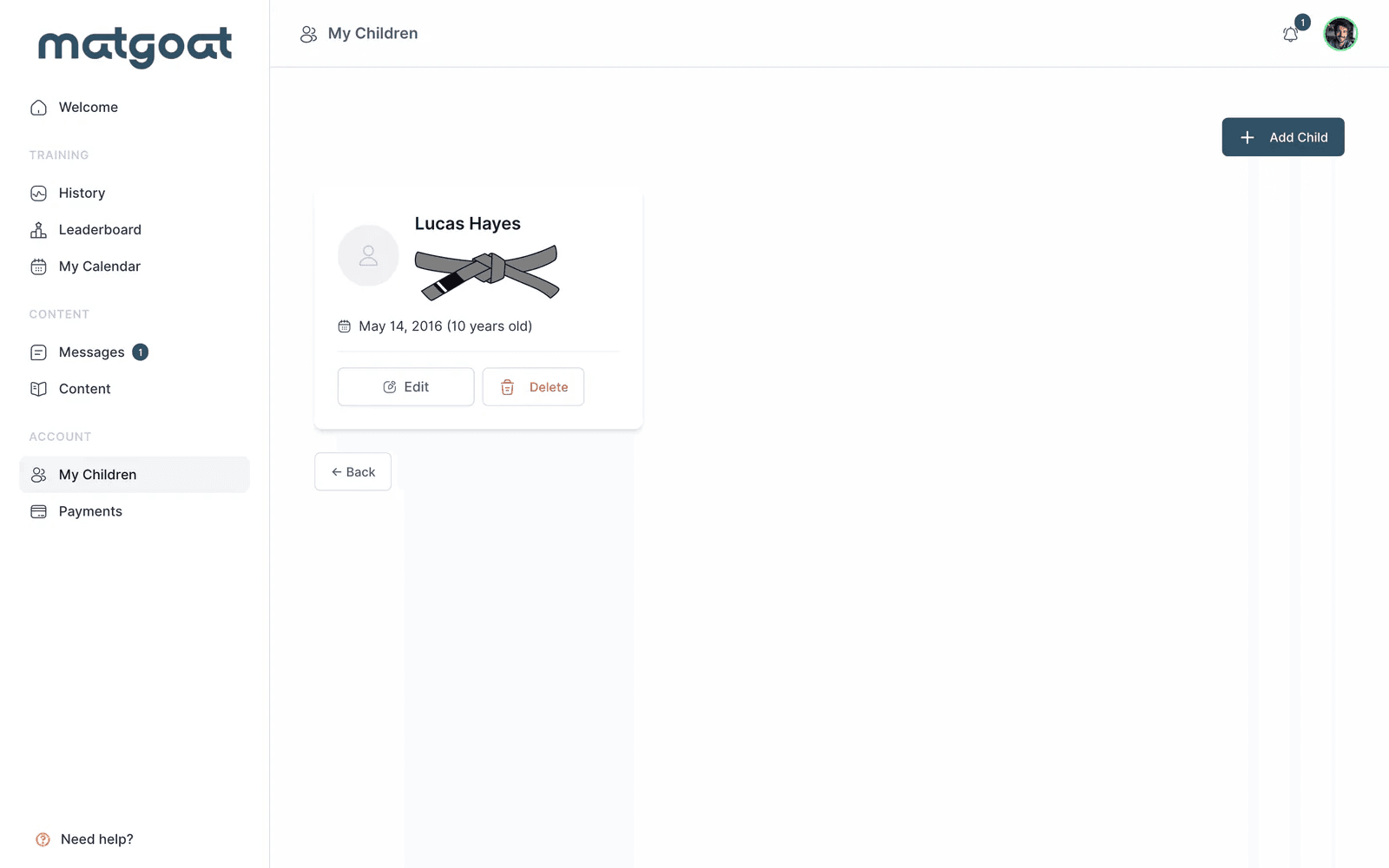
Family billing lets one parent or guardian pay for several children while each child keeps an individual student record. To manage it reliably, record who pays, which children the payment covers, the total price, the covered period and the classes each child can attend. A shared payment should still let an instructor see each child’s attendance and progression separately.
For a martial arts school, this means coordinating three decisions: the family relationship, the membership conditions and the collection method. A sibling discount changes the price; a family subscription also determines who is covered by the payment. Define both before enrolling the family.
Keep the payer and student records separate
A parent who does not train needs access to their children’s bookings and payments, without appearing as another training student. A parent who does train needs their own attendance record as well as the appropriate access to their children.
Each child should have a separate profile, even when siblings attend the same class. That preserves their booking history, attendance, belt progression and individual notes. Before adding a child, check whether a profile already exists: a duplicate can split the history that instructors rely on.
In MatGoat, a representative can manage students without training, and a child can have a managed profile without an email address. The parents and children setup guide explains the available roles and linking process. A family relationship alone does not grant control of every associated subscription.
Choose the pricing arrangement
Set the academy’s policy before choosing how to collect the money. These are possible pricing arrangements to consider; the software workflow must support the one you select.
| Arrangement | Useful when | Decide in advance |
|---|---|---|
| Separate memberships | Children need different plans or billing dates | Which adult pays for each membership |
| A discount for additional siblings | You want to retain an individual price for each child | Which membership receives the discount and when it ends |
| One total family price | Several children share the same plan conditions | The children included and the price when their number changes |
Write down class allowances, renewal dates and any separate enrollment fees. If one child attends karate and another attends BJJ, check that the chosen plan permits the relevant classes. Sharing a payer does not establish that every child has the same access.
MatGoat’s family-pricing option defines a total price by number of children. It is attached to a particular plan; do not assume it combines arbitrary plans into one subscription.
A worked example: one parent, two children
Consider an imaginary academy charging €50 per month for one child or €85 in total for two children on its family plan. Ana pays for Leo and Mia and does not train herself. These are illustrative academy fees, not MatGoat subscription prices or market benchmarks.
| Person | Role | What the academy tracks |
|---|---|---|
| Ana | Representative and payer | The family payment and the children it covers |
| Leo | Student | His own classes, attendance and progression |
| Mia | Student | Her own classes, attendance and progression |
Two individual memberships would cost €100. The family price is €85, a difference of €15 per month. Record the €85 collection once and check coverage for both children. Entering another €85 against each child’s record would overstate the amount received.
If Mia stops training, staff need to review the remaining coverage, the next price and the effective date. Removing a family link or changing a profile is not a reliable way to change the next charge.
Set up the family workflow in MatGoat
- Locate the parent’s and children’s existing profiles, or create the appropriate accounts if they are new
- Link the children to the authorized parent or representative and check for existing plans
- Create the relevant plan, choose its collection method and configure the family-price tiers and class limits
- For online billing, let the payer complete the subscription flow; for manual collection, record the payment after it is received
- Review the payer, included children, amount and covered period, then check each child’s access
The plan setup instructions cover the settings. In the family-price tiers, the amount is the total for that tier, not an additional amount per child. The highest configured tier also applies to larger families: if the last tier is for three children, that price applies to four or more. Configure the tiers with that behavior in mind.
Demo plan settings. The screenshot shows the configuration controls, not the prices used in the worked example.
Parents use their own account to manage linked children. When booking, they need to select the correct child; making a booking does not itself confirm attendance. The parent guide explains those steps.
Keep collection and coverage consistent
An online plan requires an active Stripe connection and the payer’s authorization through the subscription flow. Assigning a manual plan does not create an online subscription or prove that a fee was collected.
For cash or bank transfers, check the amount actually received, the relevant period and the family members covered before recording it. Keep the distinction between money received and access granted visible to staff. Use the manual-payment instructions for the recording process.
If an online charge fails, review the payer’s subscription and the affected period before requesting another payment. A missing plan, a failed charge and an expired membership require different follow-up. MatGoat’s pending-payment workflow helps staff check the reason and identify the recipient of a reminder.
Review changes before the next collection
- One child leaves or pauses: check the remaining beneficiaries, price, access and change date before altering the subscription
- Another child joins: confirm the family relationship, the applicable price tier and the new child’s coverage
- Children need different plans: review each child’s class requirements instead of assuming the shared plan covers every activity
- The payer changes: review subscription ownership and permissions before linking another adult or starting a replacement payment
- A child needs an independent account: preserve their existing history and review access and payment responsibility during the change
Use the plan-change guide to review the available actions. Where ownership or active family coverage prevents a change, resolve that situation with support before creating another subscription.
Family enrollment checklist
Use this checklist before the first collection and whenever the family arrangement changes:
- Parent or representative identified, with the correct account access
- Existing student profiles checked to avoid duplicates
- Each child included in the payment explicitly identified
- Total price, renewal date and any separate fees explained
- Class allowances checked for each child
- Collection method agreed and any online subscription authorized
- Payment status and covered period verified
- Procedure for adding, pausing or removing a child explained
For a broader review of your academy’s collection process, see the payments and billing guide. To assess the product, review MatGoat’s payment-management features.
Start with one family’s actual arrangement and check that staff and the parent can identify the same payer, children, amount and renewal date.

Founder of MatGoat and a software engineer with more than 20 years of experience. He has practiced BJJ since 2021 and develops MatGoat using feedback from martial arts academies.
View full profile