
Weekly reports and the Sunday email
Open the weekly report archive, review birthdays and students needing attention, and distinguish saved snapshots from current alerts.
Where: Weekly reports
Updated on
Open in MatGoatWeekly reports preserves a snapshot of students and situations needing attention during a particular week. You can revisit it later even after current data changes. The archive is available to administrators of academies they can access; it is not a section open to every student or teacher.
Open a week in the archive
Open Weekly reports and check the academy name. Reports are ordered by date, newest first. If you administer several academies, confirm which one you are reviewing before opening a week or sharing a conclusion with another member of staff.
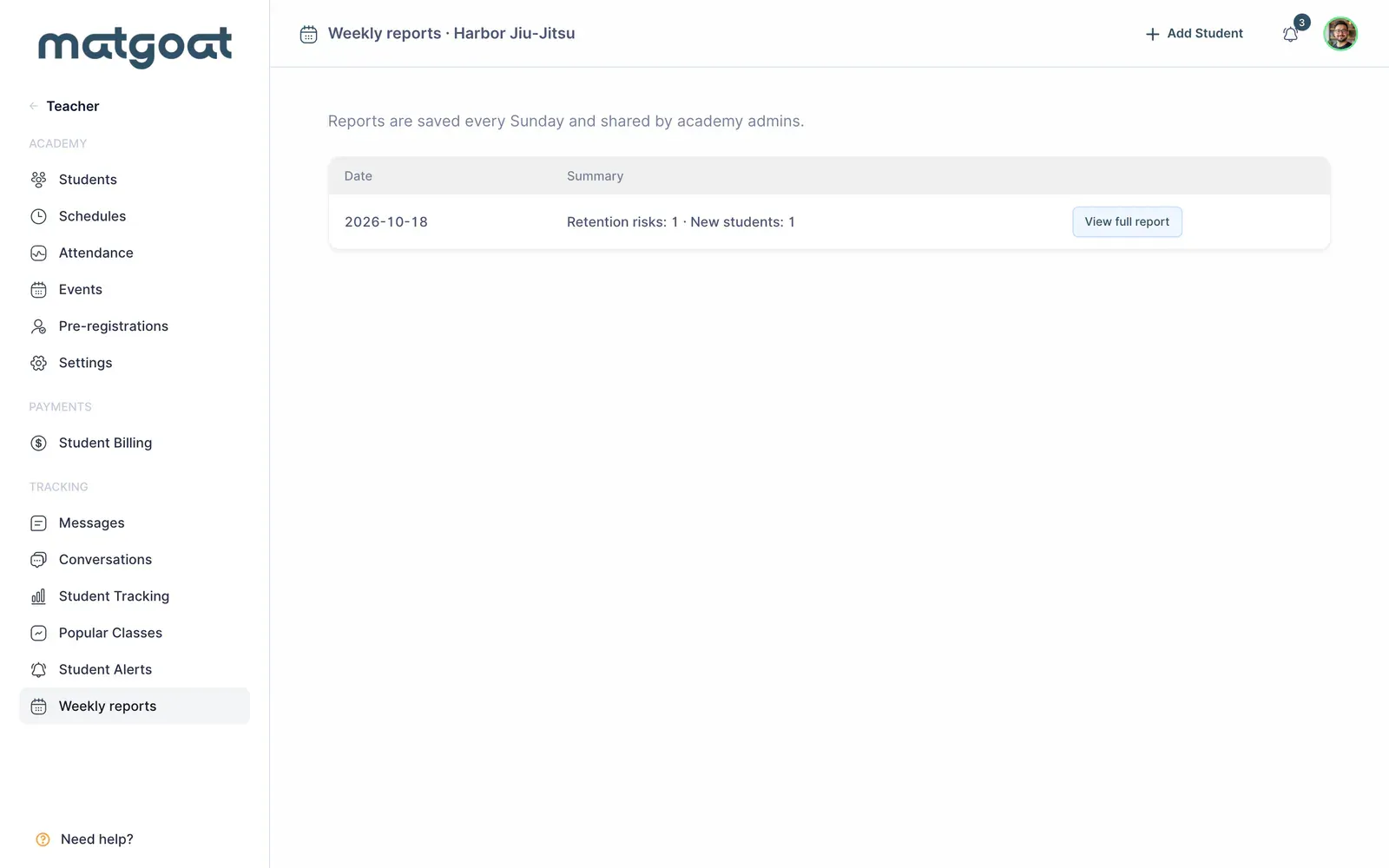
- Select the appropriate academy
- Open the report date you want to review
- Inspect the student categories included
- Open a person’s profile to check their current situation
The report retains the information used when it was generated. Correcting attendance or changing a plan today does not automatically rewrite an older report. This stability lets you see what information was available when that week’s follow-up took place.
Interpret the sections
Reports can include birthdays, retention risk, new students, observers, payment issues and people attending after cancelling a subscription. Sections without results may be absent; a quieter week can therefore contain fewer blocks without indicating that the report is incomplete.
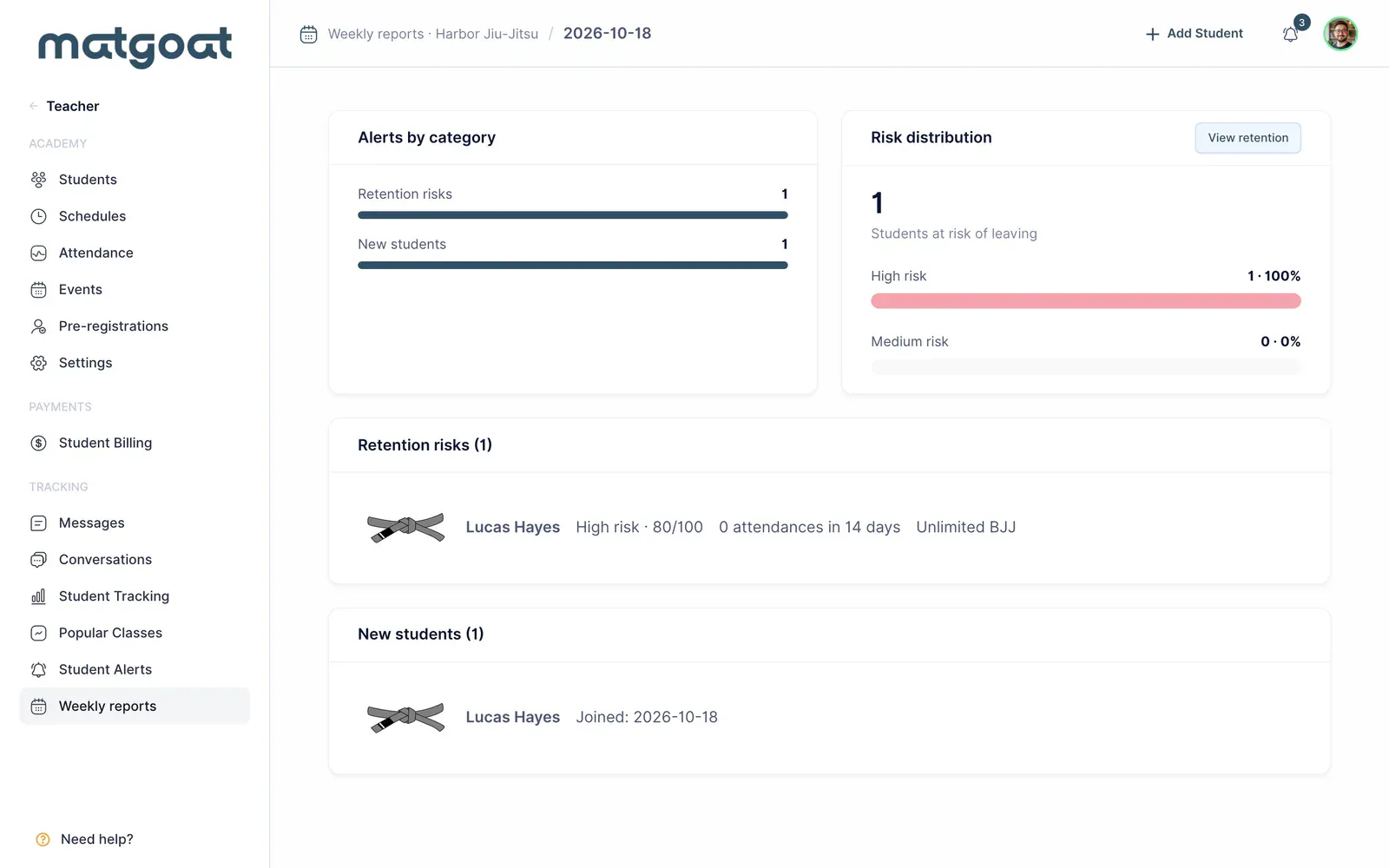
For birthdays, check the displayed date and age. In retention, review the saved score and activity without treating them as certain evidence of departure. For payments, open the profile before requesting money: the student may have paid after the snapshot was generated.
A report total combines entries from different sections. One person can require attention for more than one reason, so do not automatically interpret that total as a count of unique students. Review the underlying names when estimating the number of people to contact.
Connect the report with the email
The Sunday weekly email helps you return to the report and review updates. A saved report and successful email delivery are separate facts. If you cannot find the message, you can still inspect the archive without waiting for another email to arrive.
An academy report is also different from product news that may appear in MatGoat communications. Check its date and academy name to distinguish operational records from general explanations of application features.
Continue with current information
Use Student Tracking to organize current contact and Student Alerts to investigate present issues. Older reports provide context; those live views help establish which actions remain relevant today.
Before sending a reminder, check the person’s latest payment, conversation and notes. This lets you use the report without repeating work that another staff member has already completed.
Related articles
Still have questions?
Write to us and a real person will answer, in your language.