
Collect pre-registrations before your academy opens
Turn on pre-registration capture, share the link, review the people who left their details and invite them to create an account when you open.
Where: Pre-registrations
Updated on
Open in MatGoatPreregistrations collect details from people interested in joining before your academy opens. They help you prepare communication and understand interest in your plans, but they do not complete membership registration or prove that a payment was made. Each person still needs to finish the appropriate signup journey.
Enable lead collection
An administrator opens Settings > Student onboarding and finds the preregistration section. Enable Collect pre-registrations instead of signups and review the opening date. While collection is active, the usual student signup link opens the interest form.
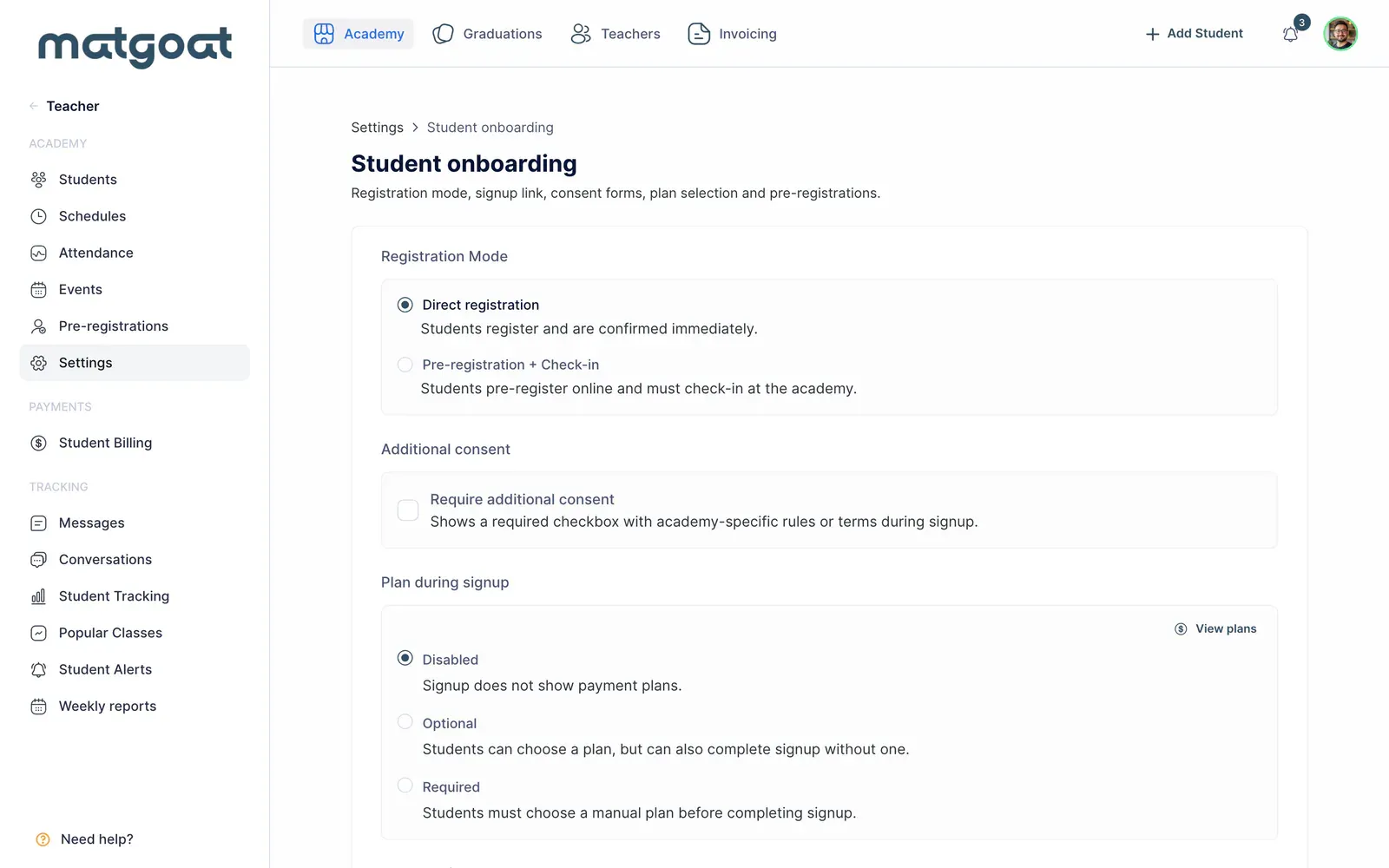
The date can be today or a future date. When that day arrives, collection stops and the link returns to normal signup. If the opening date is undecided, leave it empty. You will then need to switch off collection when you want ordinary registrations to begin.
Review the public form
- Configure collection and the opening date
- Review the form language and save the settings
- Open the public link without a teacher session
- Check the requested information before sharing it
The form requests contact details, including phone number and municipality. When eligible plans exist, it asks which plan interests the person, including a choice for those who have not decided. This answer expresses interest: it does not assign a subscription or charge a fee.
The current form has no comments field, although older records can retain comments in the list or export. Do not ask someone to complete a field that appears only in an older screenshot or in a historical export column.
The language selector can inherit the academy’s language and offers some explicit alternatives. Portuguese and Italian academies can use the academy-language choice; enabling lead collection does not require switching their public form to Spanish.
Work through the list
Open preregistrations in the teacher panel. Review the filters and each person’s details before inviting them. Sending an invitation starts the next signup step. An expression of interest is not an account already prepared to book classes.
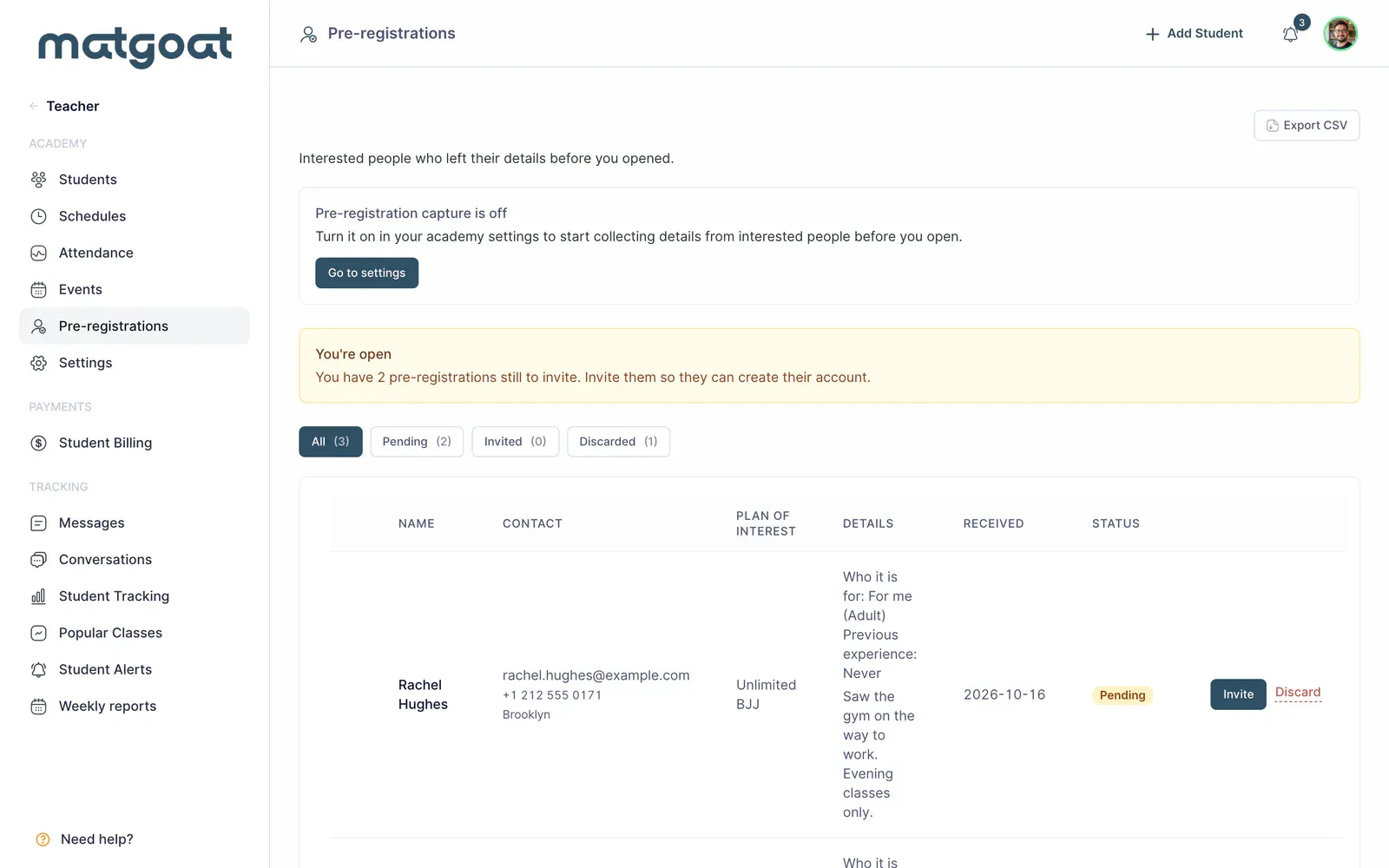
You can discard entries that should not continue and restore them when appropriate. Check the status before repeating an invitation. To keep or analyze the list outside MatGoat, use this page’s CSV export. The file includes all pre-registrations for the academy, regardless of the filter currently shown in the list.
Move from interest to membership
Before opening, review the date, shared link and available plans. When collection ends, new visitors reach the ordinary signup form. That change does not automatically convert the entire list into students or send all invitations for you.
Prepare the student signup link and use student invitations to guide each interested person. Check for an existing profile before starting another registration.
Related articles
Still have questions?
Write to us and a real person will answer, in your language.